Submission Requirements for Theses: A Complete Guide
Know the submission requirements for theses before you upload: formats, documents, deadlines, accessibility, embargoes and what universities check.
You've finished the chapters, your supervisor has said the argument holds, and the only task left looks like an upload. Then the portal rejects the PDF because printing is locked, or the graduate office says the defense sits too close to the filing date. The thesis was academically complete. It still wasn't eligible for the degree term.
Submission requirements are a scheduled, multi-stage compliance process. Approval, dates, files, archival settings, accessibility, declarations, release choices, and enrollment each carry their own evidence and their own office. Treat the night-before formatting pass as the last check, not the whole job.
Table of Contents
- Submission Requirements at a Glance
- Deadlines and Milestones to Schedule Backward
- Document Packages and File Formats
- How to Produce a Valid Archival PDF
- Accessibility Checks Before Final Upload
- Originality and Declarations to Include
- Embargo Options and Restricted Releases
- Rejections, Corrections and Confirmation After Upload
- Confirm the Checklist and Set Your Deadline
Submission Requirements at a Glance
A dissertation can be finished as scholarship and still be refused. A late defense, a PDF with the wrong security setting, or a missing embargo form is enough. The graduate school, the library, the registrar, and the repository often apply different rules to the same file, so "it looks fine in Word" doesn't settle the question.
Eight categories cover almost every rejection notice. For each one, the institution wants evidence, not a verbal assurance.
| Category | What It Covers | Typical Evidence | Who Checks It |
|---|---|---|---|
| Academic approval | Proposal sign-off, committee approval, defense result | Signed forms, defense report | Supervisor, committee, department |
| Deadlines | Draft circulation, defense date, final filing, term cut-off | Calendar dates, registrar notices | Graduate office, registrar |
| Documents | Main PDF, source files, supplementary files, forms | File list, form set | Graduate school, library |
| File format | PDF type, embedded fonts, page layout, security settings | Preflight report, file inspection | Repository, ProQuest, library |
| Accessibility | Tagged structure, alternative text, language, contrast | Accessibility checker results, optional report | Library, repository |
| Originality and declarations | Original contribution, AI-use disclosure, ethics statement | Declaration pages, AI statement | Supervisor, graduate office |
| Embargo and release | Public release, embargo period, confidentiality | Embargo request form | Graduate office, technology transfer, ethics office |
| Enrollment and credit | Minimum dissertation credit, registration in the graduation term | Credit record | Registrar, department |
Academic approval is the committee's record that the work may be examined and that the defense result is official. Deadlines are the dates that make that approval count for a given term. Documents are the package, not only the manuscript. File format is whether that package will survive archival processing. Accessibility is whether a reader who doesn't rely on visual layout can use it. Originality and declarations cover what you claim about authorship, ethics, and tools. Embargo and release decide who can read the file after deposit. Enrollment and credit decide whether you are even a candidate in that term.
Use the table as a map. When a notice names one failure, go to that category and collect the evidence that office expects. Don't rebuild the whole package on a guess.
Practical rule: When a general publisher specification and your graduate school sheet disagree, the graduate school's specification controls.
Offices don't share one checklist. The library may accept a file the registrar won't count, because you aren't enrolled for the required dissertation credit. Fix the category that is failing.
Deadlines and Milestones to Schedule Backward
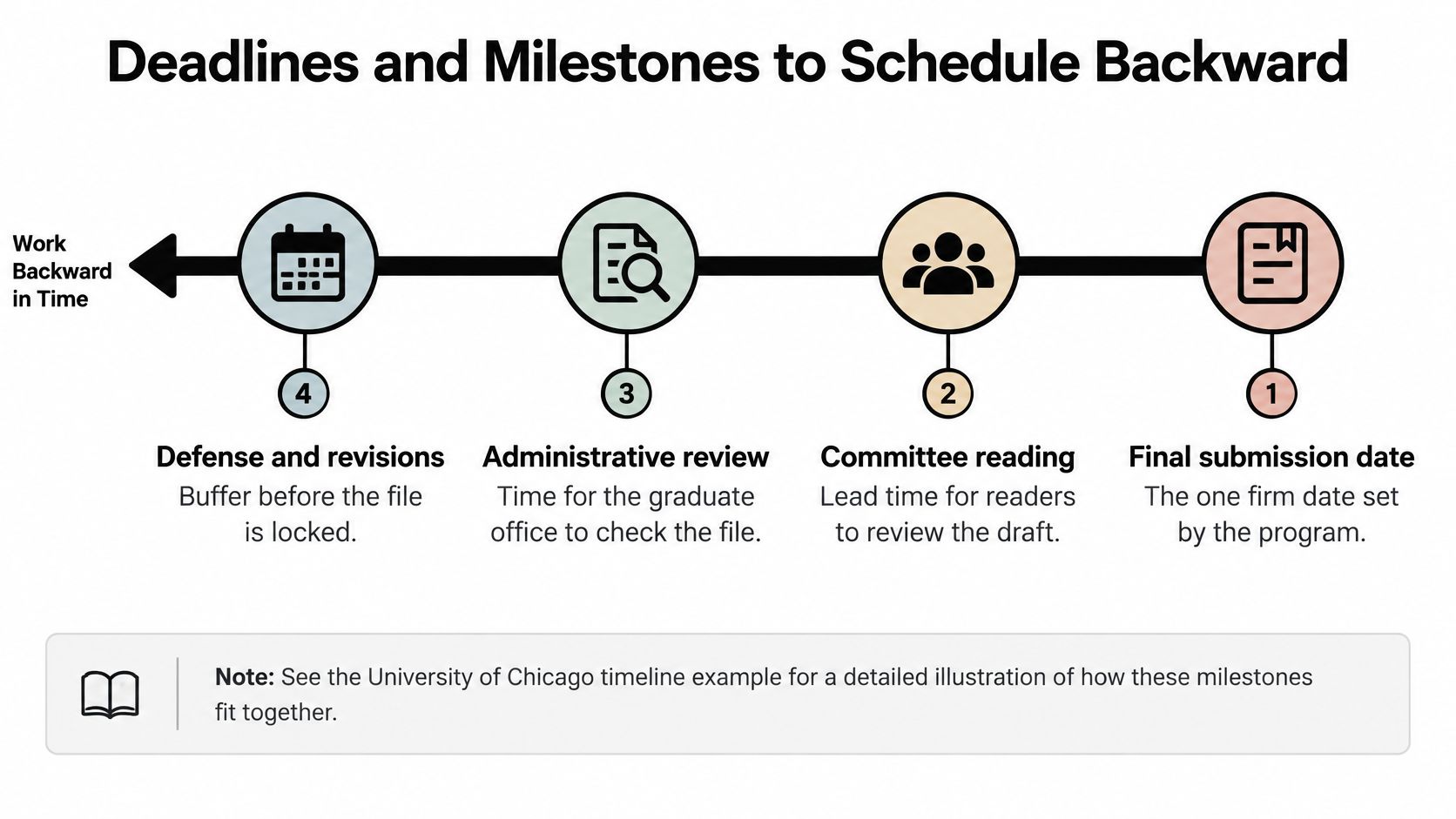
Deadlines are rarely one date. Programs chain proposal approval, committee reading, the oral defense, formatting checks, file delivery, and the degree-term cut-off. A reliable plan tracks at least four dates: committee draft delivery, defense, final institutional submission, and any correction or format-review deadline. Schedule them backward from the term you intend to graduate.
The clearest published chain is in the University of Chicago Statistics PhD handbook. Students must give committee members and the department a dissertation draft at least four weeks before the scheduled defense. The defense must occur at least two weeks before the university's final dissertation deadline. That final deadline generally falls on a Friday during the sixth or seventh week of the graduation quarter. Notre Dame's history graduate guide asks for the completed dissertation, including notes and bibliography, with every committee member several weeks before the expected defense. Same pattern, different campus: review lead time is part of the rule, not a courtesy.
How to work backward
Say your registrar's final filing date is the Friday in week six of spring quarter.
- Lock the filing date first. That is the one date the institution will not move for you.
- Place the defense at least two weeks earlier, using Chicago's floor as a model only if your own handbook is silent, then replace it with your office's number.
- Place committee draft delivery at least four weeks before that defense, and add the "several weeks" your department prints.
- Insert a buffer for corrections and format review between defense and filing. If the office gives you five business days to fix a returned file, those days have to exist before the cut-off.
Proposal approval dates and the format-review window are program-specific. Record them from the graduate office. They don't appear as a universal number.
| Milestone | Timing Rule | Example Source |
|---|---|---|
| Proposal approval | Program-specific date, recorded from the graduate office | Graduate office calendar |
| Committee draft delivery | At least four weeks before the scheduled defense | University of Chicago Statistics PhD handbook |
| Oral defense | At least 2 weeks before the final dissertation deadline | University of Chicago Statistics PhD handbook |
| Final dissertation deadline | Generally a Friday in the sixth or seventh week of the graduation quarter | University of Chicago Statistics PhD handbook |
| Undergraduate final electronic submission | A fixed clock time on a named day, with no extensions | Harvard Statistics senior thesis guidance |
| Correction or format review | The window the graduate office prints on the return notice | Graduate office notice |
A manuscript can be academically complete and still miss graduation if circulation, the defense, format review, or electronic filing lands too late. Build those four dates into a research timeline you can see beside your chapter plan. If teaching and lab shifts keep colliding with those dates, a guide to balancing classes and deadlines is a useful companion for the weekly load, not a substitute for the registrar's calendar.
Document Packages and File Formats
Most portals ask for one main thesis file, almost always a single PDF. Treat that file as the first item in a package rather than the whole shipment. Some programs also want the source that produced the PDF, plus approval forms that never appear inside the manuscript. Credit or enrollment status can block the upload even when every document is perfect.
Harvard's Statistics senior thesis guidance shows how exact an undergraduate rule can be. The proposal deadline is October 1. The final electronic submission is March 26 at 5:00 p.m., the file must be a single PDF, and the deadline is hard, with no extensions. If your program prints a clock time, 5:01 p.m. is late.
When the package is more than one file
Departments that expect LaTeX typesetting, common in mathematics and the sciences, often ask for a second file: a ZIP archive holding the source and everything needed to compile the document. The same specification may set a hard clock time for the upload and a short window afterward for replacement files. Once that window closes, a corrected figure arrives too late to count.
Build the ZIP from the folder that compiles, not from a desktop copy of "final_v7.tex" with the images left behind. Then test it. Open the archive on another machine, or at least list its contents, before you upload. A ZIP that fails to compile is a missing file in disguise.
Conditions that aren't files
Some requirements live in the registrar's system rather than in your upload folder. Programs may set a minimum number of dissertation credit hours for the degree and require enrollment in dissertation credits during the graduation term itself. A flawless PDF does not fix a shortfall on the registrar's record.
The academic threshold works the same way. Many universities accept a dissertation only when it makes an original contribution to scholarship or scientific knowledge, and they tie the submission to the term in which the oral examination is completed. Originality is a submission condition, decided by your committee and recorded by the graduate office, not only a compliment from your supervisor.
List every item in your institution's specification and mark what you still don't have:
- Main PDF: the single reader file.
- Source archive: LaTeX, or the word-processor original, if the spec asks for it.
- Supplementary files: data, code, or media, named the way the library asks.
- Approval forms: often uploaded separately from the bound-in signature page.
The title block on the first page has to match the degree the registrar will print. A dissertation title page that uses last year's degree wording is a common reason an otherwise valid package comes back. Each item on the spec's list gets verified at a different stage: the portal checks the upload, the graduate office checks the record. Until every line is marked off, the package is not ready.
How to Produce a Valid Archival PDF
A thesis PDF has to be validated as a production file. An ordinary "Save as PDF," a print-to-PDF of a two-page spread, or a scan of printed pages will fail checks that a normal reader never notices.
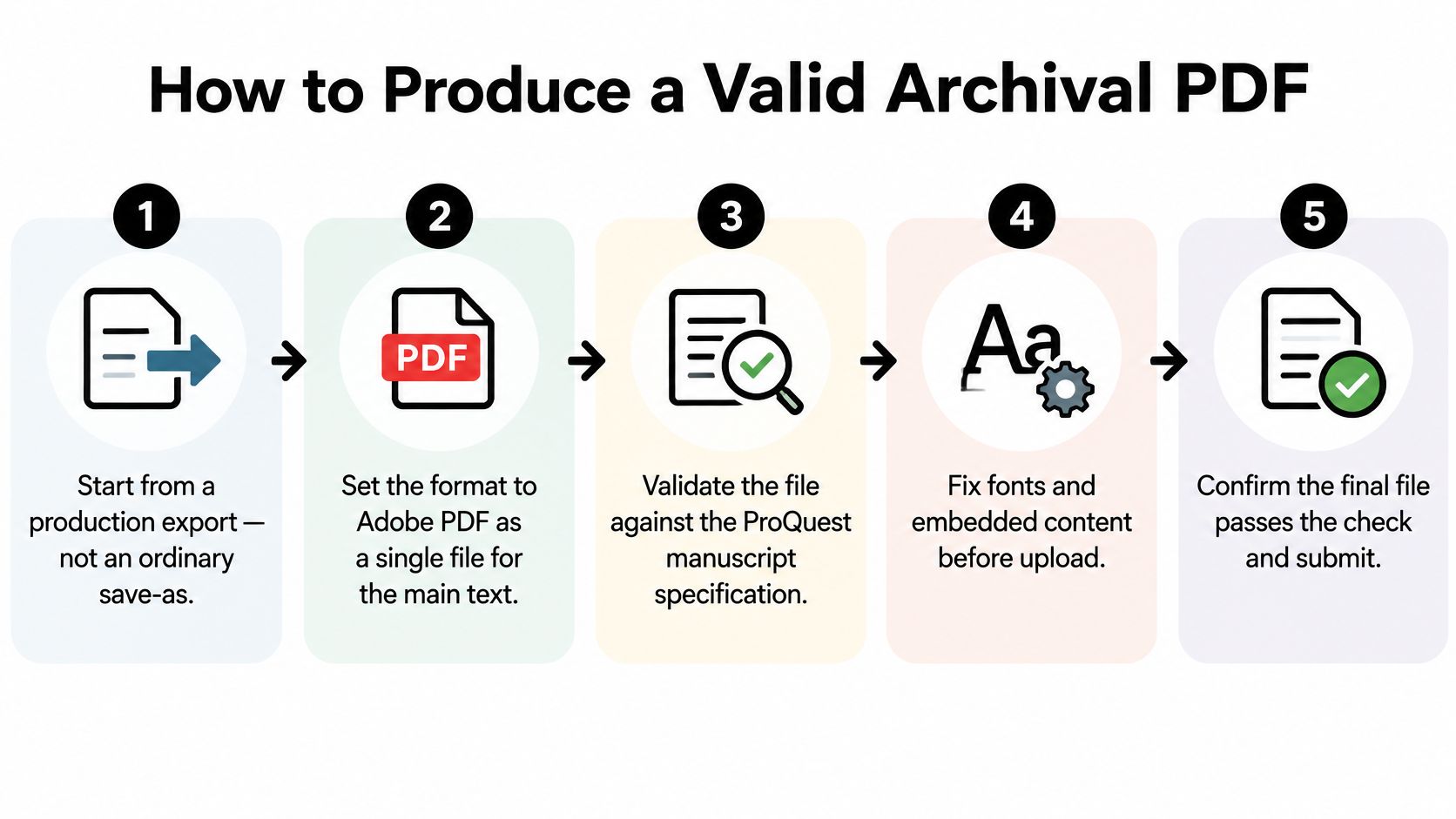
ProQuest's manuscript-preparation specification requires Adobe PDF, a single file for the main manuscript, embedded fonts, preserved source-image resolution, and individual pages rather than two-page spreads. It forbids password protection. Security settings must permit printing. It also prohibits compression, digital signatures, and other controls that interfere with archival processing or reader access.
The production checks
- Finalize pagination and cross-references before you export. A late figure insertion shifts every page number the committee approved. Update the table of contents, lists of figures, and in-text references, then export once.
- Export with a standards-preserving PDF workflow. In Word or LibreOffice, use the application's PDF export, not a scanner and not a screenshot printer. In LaTeX, compile to PDF directly. The goal is real text, embedded fonts, and one page per page.
- Confirm every font is embedded. Unembedded fonts substitute on the repository's server and can reflow lines. The preflight or document-properties panel should list fonts as embedded, not as references to your laptop.
- Confirm the page count and that each page is a single page. A spread counts as the wrong geometry. Compare the PDF page count with the approved manuscript.
- Zoom into figures and tables. Preserved source-image resolution means a chart stays legible at 200 percent. If type in a figure breaks into blocks, replace the image and export again. Don't compress the PDF to "fix" the file size.
- Test whether the text is selectable. Drag across a paragraph. If you can't select words, the file is an image of the thesis. Screen readers and search both fail, and many repositories reject it.
- Match the title page to the approved manuscript. Degree name, candidate name, and committee lines should be identical to the signed copy. A PDF that differs from the approved manuscript is a rejection even when the prose is better.
- Strip locks and signatures. No password, no digital signature, no security that blocks printing. Compression that degrades images is prohibited for the same reason. A file you can open is not the same as a file the archive can process.
- Record the final filename, version, approval status, and upload confirmation. Keep that note with the file. If the portal accepts one version and you later upload another, you need to know which bytes were approved.
Your graduate school or library may add naming rules, a file-size cap, supplementary-file types, approval forms, embargo fields, and required front matter. Follow that sheet for those items. Split your checklist into universal technical checks and institution-specific checks so a ProQuest rule doesn't override a local filename rule.
A short walkthrough of exporting and inspecting a PDF is easier to follow on screen than from a list alone.
These controls stop the avoidable returns: unreadable graphics, missing pages, incompatible security, or a file that isn't the one the committee signed.
Accessibility Checks Before Final Upload
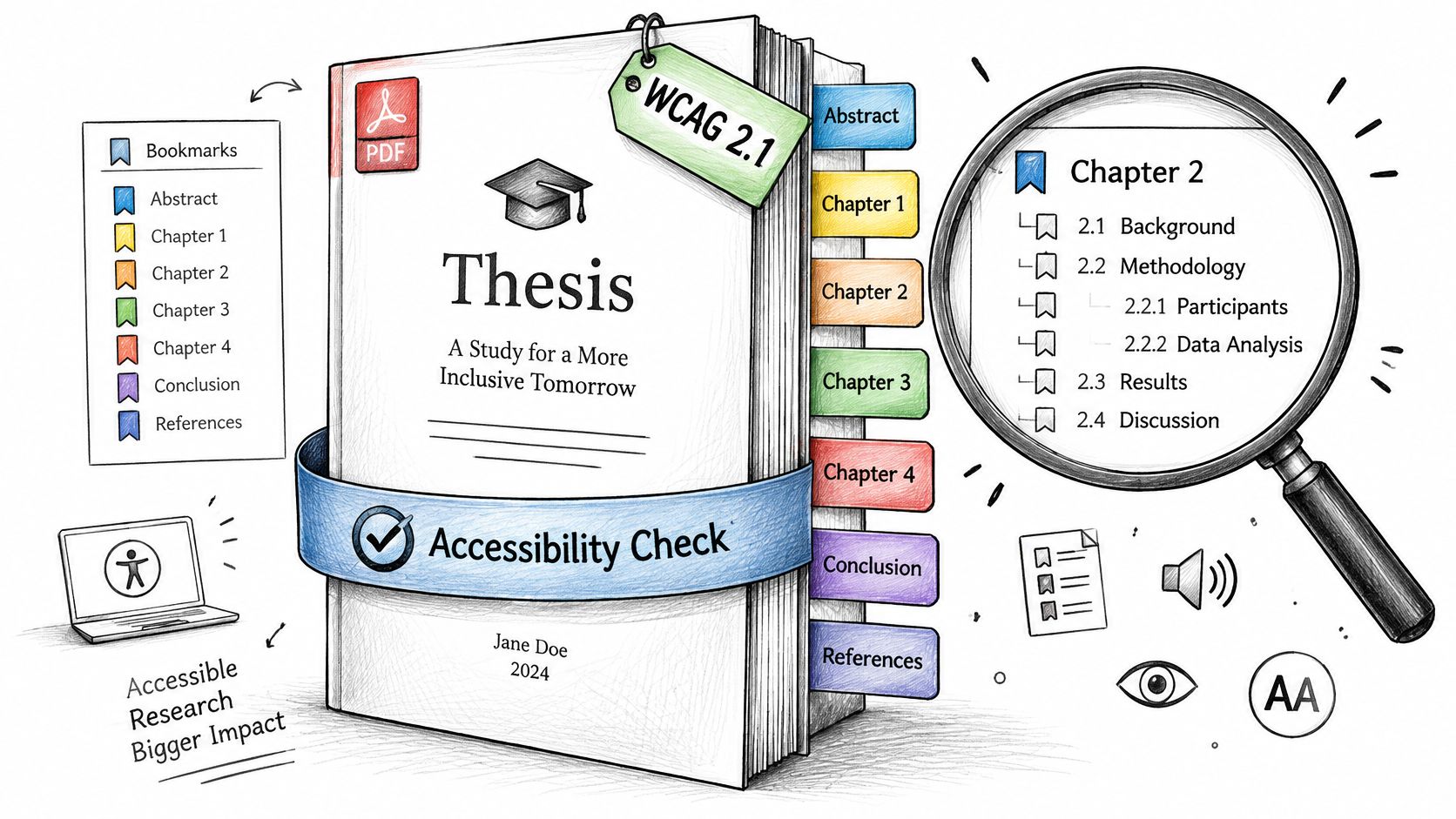
Accessibility is a submission-quality requirement, not a polish step after the portal says yes. Current electronic-thesis guidance used by universities, including the Texas State University library guide, emphasizes WCAG 2.1 conformance and a navigable, semantically structured PDF.
The acceptance test is practical. A screen-reader user should be able to locate the abstract, move by headings, interpret every substantive visual, and identify the thesis from file metadata, without relying on visual layout alone. If that person can't, the file isn't ready, even if it looks clean when you scroll.
Export through the word processor's accessibility-preserving PDF function. Printing to PDF or scanning removes heading structure, tags, and often the text itself. You can't add real structure back by drawing boxes on an image.
What to test before upload
Run the source editor's accessibility checker first, while the headings are still easy to fix. Then open the PDF, not the source, and inspect tags and reading order. Tab through the file to test keyboard navigation. Read each table in linear order. A table that only makes sense as a grid will fail that reading.
| Element | Requirement | How to Test |
|---|---|---|
| Heading hierarchy | Structured headings and bookmarks | Navigate with a screen reader or the bookmark pane |
| Tags and reading order | Tagged paragraphs and lists | Inspect the PDF tags and reading order |
| Tables | Identifiable header cells | Read the table in a linear order |
| Figures and charts | Meaningful alternative text | Check that the alt text conveys the finding, not just the file name |
| Document language | Declared in the file | Check the document properties |
| Metadata | Title and author present | Check the file properties |
| Colour contrast | Sufficient contrast for text and graphics | Run a contrast checker on figures |
| Links | Link text identifies the destination | Read link text out of context |
Headings should nest. A chapter title is not body text styled in bold. Bookmarks should follow that same hierarchy so a reader can jump to the abstract without guessing page numbers.
Alternative text has to state the finding. "Chart1.png" fails. "Line chart showing enrolment rising from 2018 to 2023" can pass if that is what the figure shows. Decorative rules and repeated logos can be marked as artifacts so the reader isn't stopped on every page.
A repository or institution may also ask for accessibility evidence or a separate accessibility report. Put a dedicated accessibility review on the calendar before final upload. Fixing tags after the committee has signed is slower than fixing them in the source.
Originality and Declarations to Include
The page readers most often forget is the declaration of original work. The body can be excellent and the file still incomplete if you never state that the thesis is your own and that sources are credited. Supervisors sign pages that must match the final file exactly, so write the declaration early and don't retype it after the signatures.
Most programs also expect a title page with the correct degree details, an abstract, and a signed approval page from the supervisor and committee. When the research involved human participants, animals, or sensitive data, an ethics approval statement belongs with those pages, including the reference number the ethics office issued. If a chapter was co-authored or previously published, say so, and say what you wrote.
Generative tools and the wording you sign
AI-use disclosure is moving from a courtesy into a filing rule. The University of Louisiana at Lafayette Fall 2026 guidelines require students to disclose the AI tools used, their purpose, and their scope, and they warn students not to place protected research information into open AI systems without permission. That is a Fall 2026 requirement at that university, not a universal statute, but it shows the direction of the form. Keep a short record of which tool you used, on which passages, and what you changed afterward. The declaration should describe your oversight, not a brand slogan.
Borrowed wording is a separate problem from tool use. A close paraphrase that keeps another writer's structure can still fail an originality check. Model Diplomat's paraphrasing walkthrough is a clear refresher on rebuilding a sentence in your own syntax, and the difference between paraphrasing and plagiarism is worth rereading before you sign a declaration that says every source is credited.
Before anyone signs, confirm four details:
- Approval page date. It should match the defense or the approval meeting, not a placeholder.
- Ethics reference number. Copy it from the approval letter, including letters and hyphens.
- AI statement wording. Name the tools, the purpose, and the scope, or state that you used none.
- Co-authorship notes. Include them if any chapter was joint or already published.
If the final PDF's declaration differs from the signed page, the graduate office treats that as a mismatched file. Generate the page once, from the final text, and stop editing it.
Embargo Options and Restricted Releases
A thesis goes public the day the repository posts it, unless you have arranged a hold in advance. That makes the embargo a scheduled decision about who can read your work and when, decided before upload rather than after. Before you touch the deposit form, answer three questions. Does a publisher, a patent filing, or a commercial partner need time before the text is public? Does participant confidentiality or third-party copyright restrict release? Does the thesis include data that cannot be made public at all?
The risk runs in both directions. Immediate open release can disclose sensitive data or patentable findings in a way you cannot undo, while an embargo you do not need hides the work from the readers who would cite it. The Yale dissertation submission page allows embargo requests of 1, 3, or 10 years and applies the selected term to both ProQuest and its institutional repository. Most institutions cap their standard embargo lengths and require exceptional approval for a longer hold, so check your own graduate school's policy before you choose a period.
| Example | Embargo options | Scope |
|---|---|---|
| Yale | 1, 3, or 10 years | Applied to both ProQuest and the institutional repository |
| Permanent confidentiality or redaction | No automatic end date | A different request from an embargo; confirm the form with the graduate office |
| Patent-sensitive findings | Timed to the filing, usually within the institution's offered periods | Coordinate with the technology-transfer office |
Embargo, confidentiality, and redaction
An embargo ends on a date you chose. On that date the file becomes public unless you have an approved extension. Permanent confidentiality, or redaction of specific passages, is a separate request with its own form, and it needs a reason the graduate office, the ethics office, or both will accept. Ticking "embargo" does not keep a secret once the period lapses.
Ask what stays visible while the embargo runs. Many repositories still display the title, author, and abstract even though the PDF stays closed. If the abstract itself names a patentable method or a participant community, shortening or rewording it is part of the embargo decision, not an afterthought.
Treat the end date like any other milestone. Put it on the same calendar as the submission deadline, and set a reminder well before it expires in case an extension request takes weeks to approve.
Talk early with your supervisor, with the publisher or the technology-transfer office, and with the ethics office if participants were promised limits on disclosure. Then enter the same period in every deposit system. A two-year hold in the institutional repository paired with an immediate release on ProQuest is not a two-year hold. Bring the evidence the office asks for, such as a publisher letter or a technology-transfer note, at the same time as the form.
Rejections, Corrections and Confirmation After Upload
Submission works like any multi-stage compliance process: the portal accepting your upload is only the first checkpoint. A receipt means the library took the file. A human review can still send it back.
Read the rejection notice for the failing category. It usually names a font, a security setting, a missing form, or an accessibility gap. Fix that item, then resubmit. A renamed copy of the same PDF will fail the same check.
The correction window
Ask the graduate office how long you have to return a corrected file, and put that window on your calendar as its own milestone. A file sent back on Thursday does you no good if the term's filing cut-off was Wednesday. Count backward so the correction days sit inside the term, not after it.
Treat the returned file like a change request with a due date: open the notice, fix the named item, run the same check again, and upload before the window closes.
When the file is accepted, check the public record in the institutional repository and, if you deposited there, in ProQuest. Title, author, degree details, abstract, language, and embargo end date should match the approved manuscript. A swapped abstract or a one-year embargo recorded as immediate release is an error you can still report. Tell the library promptly. Later readers will trust the record, not your laptop.
Keep three things together: the upload confirmation, the accepted PDF, and the signed approval pages. A later degree audit or an archive query will ask for that set, not for your memory of which folder you used in May.
If you're continuing into the next term, close out the filing first and handle advising questions in the same week rather than letting them drift into the correction window. Students who are also choosing courses or a stream can get assistance with stream selection queries once the accepted record is confirmed. The degree posts from the accepted file, so every other item on your list waits behind it.
Confirm the Checklist and Set Your Deadline
This week, confirm the final submission date and time with the graduate office, including the cut-off after which files are rejected. Write that clock time at the top of your list. Everything else is scheduled backward from it.
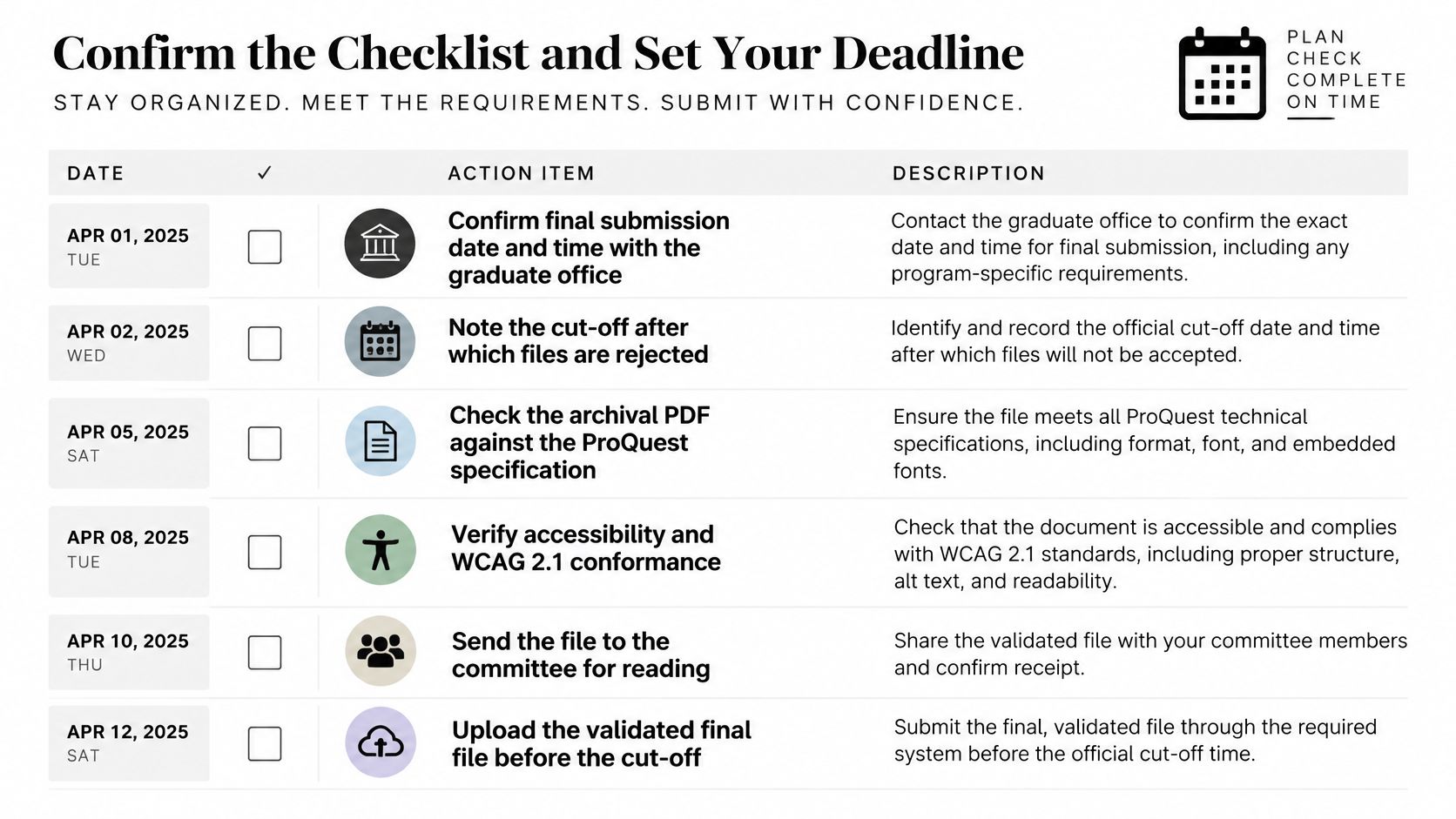
We set milestones and deadlines to work backward from the submission date, with reminders before anything slips. In the first step, you set your deadline and break the whole thesis project into chapters and milestones in minutes. Do that before you open the portal, so the checklist below isn't the first time you see the date.
Work through the list in this order. Each step produces a record, not a feeling that you're done.
- Confirm committee draft and defense dates against the lead times your handbook prints. If the defense isn't at least as far before filing as your office requires, move the defense, not the hope.
- Confirm the file package. Main PDF, source archive if required, supplementary files, and every form. Tick them from the institution's list.
- Run the PDF production checks and write down the filename and version. Embedded fonts, single pages, selectable text, no password, printing allowed.
- Run the accessibility checker, plus any separate accessibility report the repository requires. Headings, tags, alt text, language, and metadata.
- Match the declarations to the final file. Approval page dates, ethics reference number, and the AI-use statement should describe this version.
- Confirm the embargo choice is identical in every deposit system, including the end date and what metadata stays visible.
- Upload early and save the confirmation. Early means you still have the correction window, not that you uploaded at 4:58 p.m.
Set a reminder for each step so none of them lands on the final day. Keep this checklist with the approved manuscript. The file you upload should be the file the committee approved, under the name you recorded, with the release terms you chose.
A checklist you complete on the deadline day is a diary of what you didn't have time to fix.
If one box is still empty, that box is the work. The upload button doesn't complete it for you.
Thesis Book Project turns the path from proposal to filing into a roadmap with chapter tracking, milestone reminders, and a progress view you can share with your supervisor. If you're setting the submission date and working backward through drafts, defenses, and file checks, start with Thesis Book Project and put that date on a plan you can keep.
Related Articles
How to Respond to Supervisor Feedback: A Practical Guide
Your supervisor's comments are open in one window and your draft in the other. Some notes are bl...
Thesis WritingSource One Management Services: Thesis Reference Guide
You search for a way to keep your thesis references straight, and the results talk about supplier ne...
Thesis WritingMap for Writing: How to Plan a Thesis Chapter by Chapter
You've got pages of reading notes, several half-drafted chapters, and a supervisor asking how th...
Comments (0)
No comments yet. Be the first to share your thoughts.