10 Academic Planners for Students Compared in 2026
Compare 10 academic planners for students, paper and digital, with features, pricing, best-for use cases, and how each fits a thesis workflow.
You're nine months from submission. Your timetable lists lectures, seminars, and work shifts, but your thesis appears as a single deadline. You haven't decided when the literature review needs to be ready, how long your supervisor will need to review drafts, or where revisions will fit.
A semester planner helps you remember what's due. A thesis plan must also show what has to happen before the next stage can begin. You need backward scheduling from submission, chapter-level status, and a clear view of unfinished work. A full calendar isn't the same as a workable research plan.
The evidence supports planning behavior, not promises about stationery or software. A PLOS ONE meta-analysis of 158 studies found that time management was moderately associated with performance and well-being, but it didn't establish that using a planner directly improves grades.
Choose a planner by whether it helps you decide what to do next, not by how complete your calendar looks.
The most useful academic planners for students handle different parts of that problem. Digital tools can connect tasks, reminders, and progress views. Paper planners offer space to think without another screen, although you'll maintain their schedules manually. If you're considering a refillable format, check these leather journal sizing and care tips before choosing a cover.
The options below are judged against the same needs: long-range scheduling, chapter tracking, source organization, supervisor visibility, everyday usability, and cost structure.
Table of Contents
- 1. Thesis Book Project
- 2. MyStudyLife
- 3. Shovel
- 4. Power Planner
- 5. myHomework Student Planner
- 6. Schooly
- 7. Erin Condren Academic Planner
- 8. Plum Paper Student Planner
- 9. Passion Planner Digital Student Planner
- 10. Day Designer Academic Year Planner
- How the 10 academic planners compare at a glance
- Matching a Planner to Your Thesis Stage and Workflow
1. Thesis Book Project
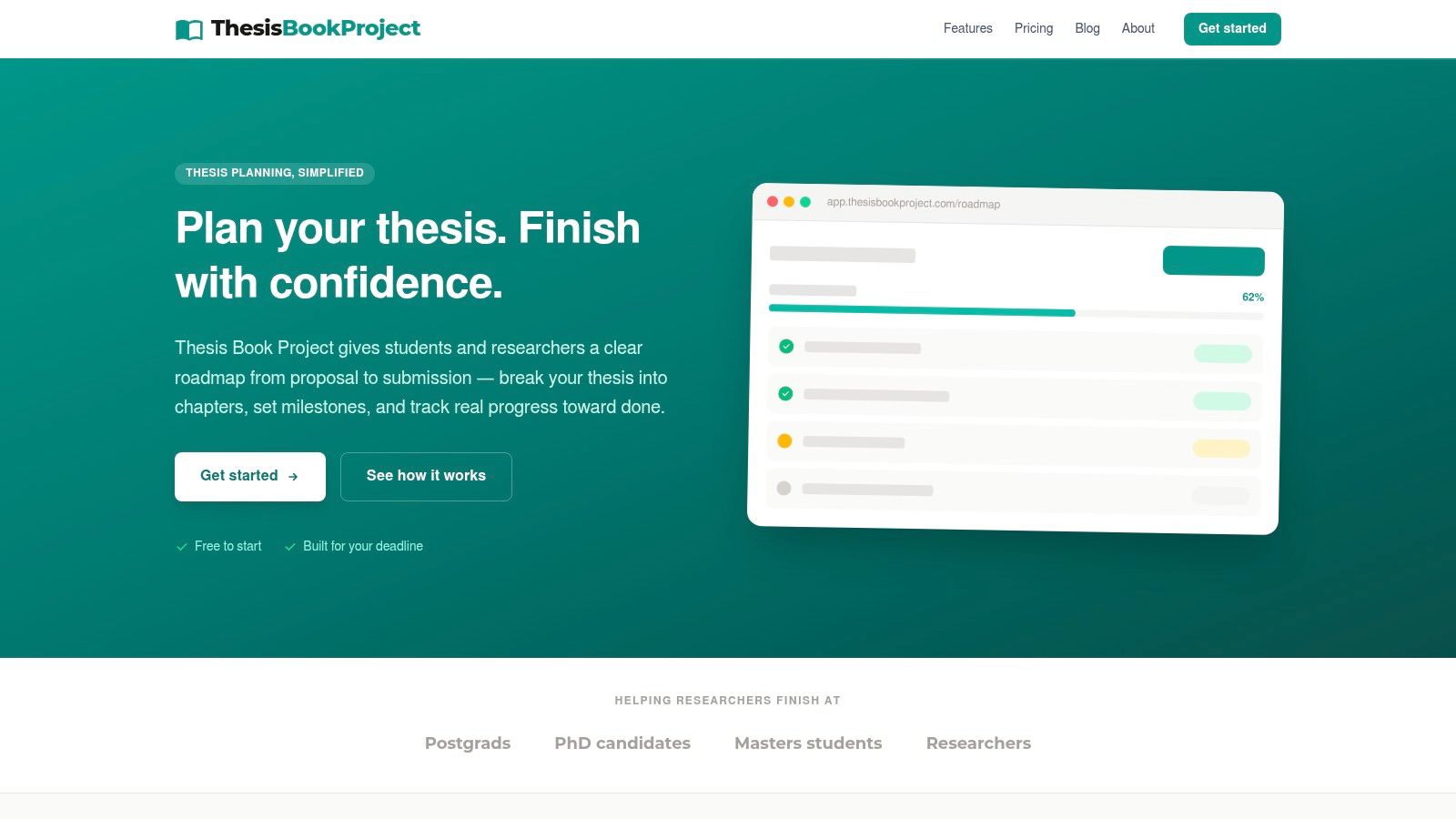
Thesis Book Project is the thesis-specific option in this comparison. Our web-based platform starts with the submission deadline and breaks the project into chapters and milestones. That suits students who need to plan the research lifecycle, rather than fit a dissertation into a coursework task list.
The roadmap covers proposal development through submission. The chapter tracker records sections from outline to final draft, while progress views show what remains and whether the project is on track. Backward-planned milestones connect the final deadline with earlier checkpoints.
Where the thesis-specific structure helps
A chapter can be drafted without being ready for submission. Tracking its stage separately from its deadline helps distinguish unfinished writing, pending feedback, and final revisions. That makes a progress review more useful than a list of completed tasks.
Our source manager connects reference organization with literature-review work. Supervisor sharing supports check-ins focused on blockers and next actions, while cohort dashboards support supervisors and program coordinators managing multiple researchers.
- Starter is free: It includes the thesis roadmap, chapter tracker, one project, and community support.
- Pro costs $8/month: It adds unlimited projects, milestone reminders, the source manager, and progress insights.
- Team costs $19/month: It adds supervisor sharing, cohort dashboards, priority support, and early-access features.
The trade-off is feature access. Starter lets you establish the project structure, but reminders, source management, and supervisor sharing require paid plans. Choose the tier around the workflow you need, not features you might eventually use.
Our editorial site also publishes practical academic guidance written by people and reviewed by an editorial team. That complements the planning tools, but it isn't independent evidence of improved completion outcomes. No independent ratings or customer-outcome evidence are available in the product information used for this comparison.
2. MyStudyLife
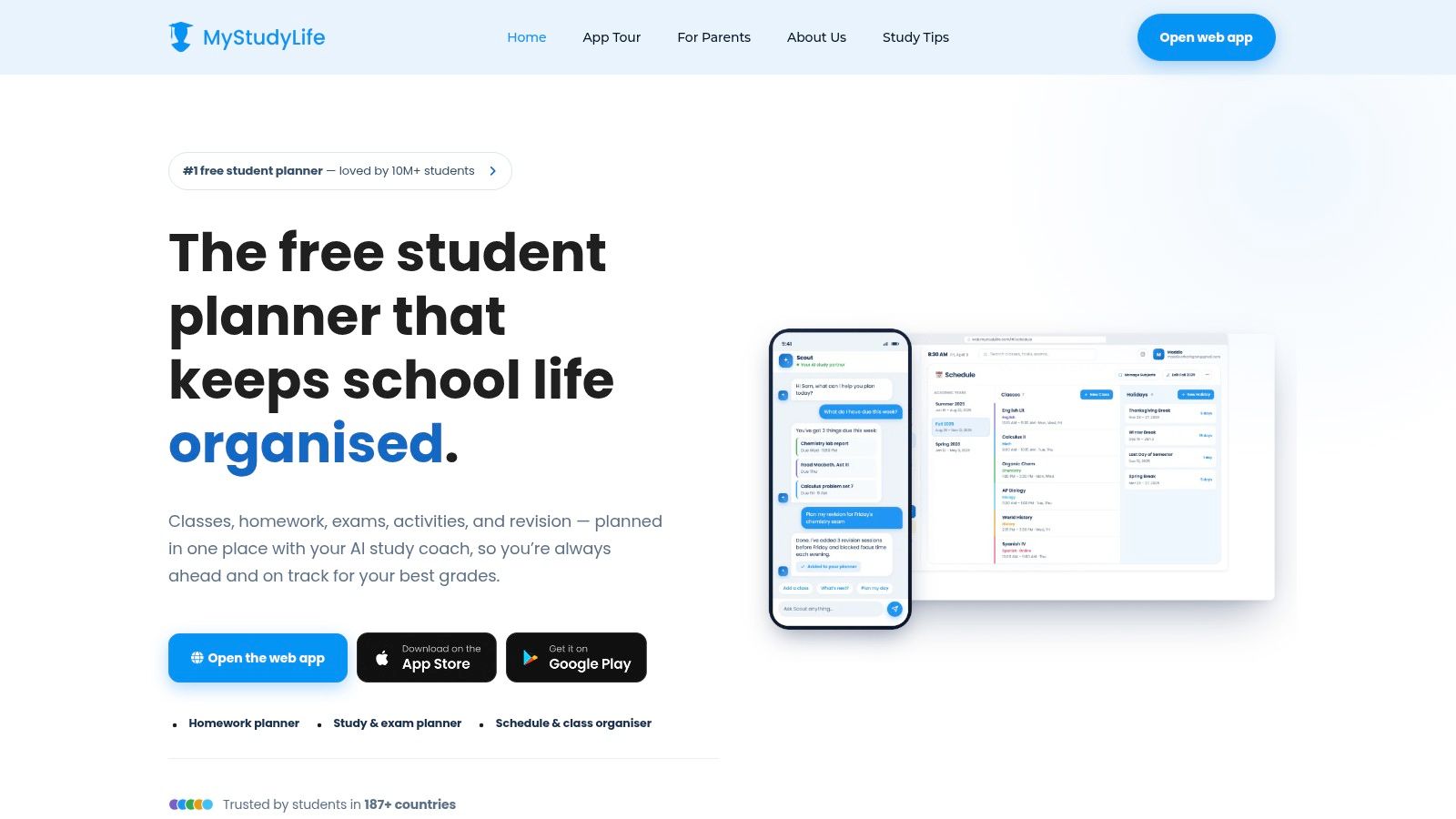
Choose MyStudyLife when coursework still determines most of your week. Its web and mobile planner brings classes, assignments, exams, grades, and extracurricular activities together. Rotating and custom timetables make it more appropriate for academic schedules than a basic calendar.
For a taught master's student, that means research sessions can sit alongside seminars and assessment deadlines. Cross-device access helps when you capture a task on your phone and plan the week on your laptop.
Use it for execution, not the whole thesis structure
MyStudyLife's class-and-term organization is its main limitation for dissertation work. You can enter chapter deadlines as tasks, but that doesn't automatically establish dependencies between reading, analysis, drafting, and supervisor review.
Keep thesis tasks specific. Replace an entry such as literature review with an action such as compare competing definitions for the conceptual framework. A separate online progress tracker can help distinguish completed activities from chapters that are moving toward submission.
- Useful strengths: Academic timetables, reminders, focus sessions, and calendar syncing support a busy teaching term.
- Cost structure: A free core planner is available, with an optional subscription for advanced features.
- Main restriction: The free plan limits active tasks, so check whether your coursework and research workload fit comfortably.
MyStudyLife is a sensible weekly companion when classes compete with thesis time. It's less convincing as the sole record of chapter status, reading decisions, and supervisor feedback. Keep a separate master roadmap if you choose it.
3. Shovel
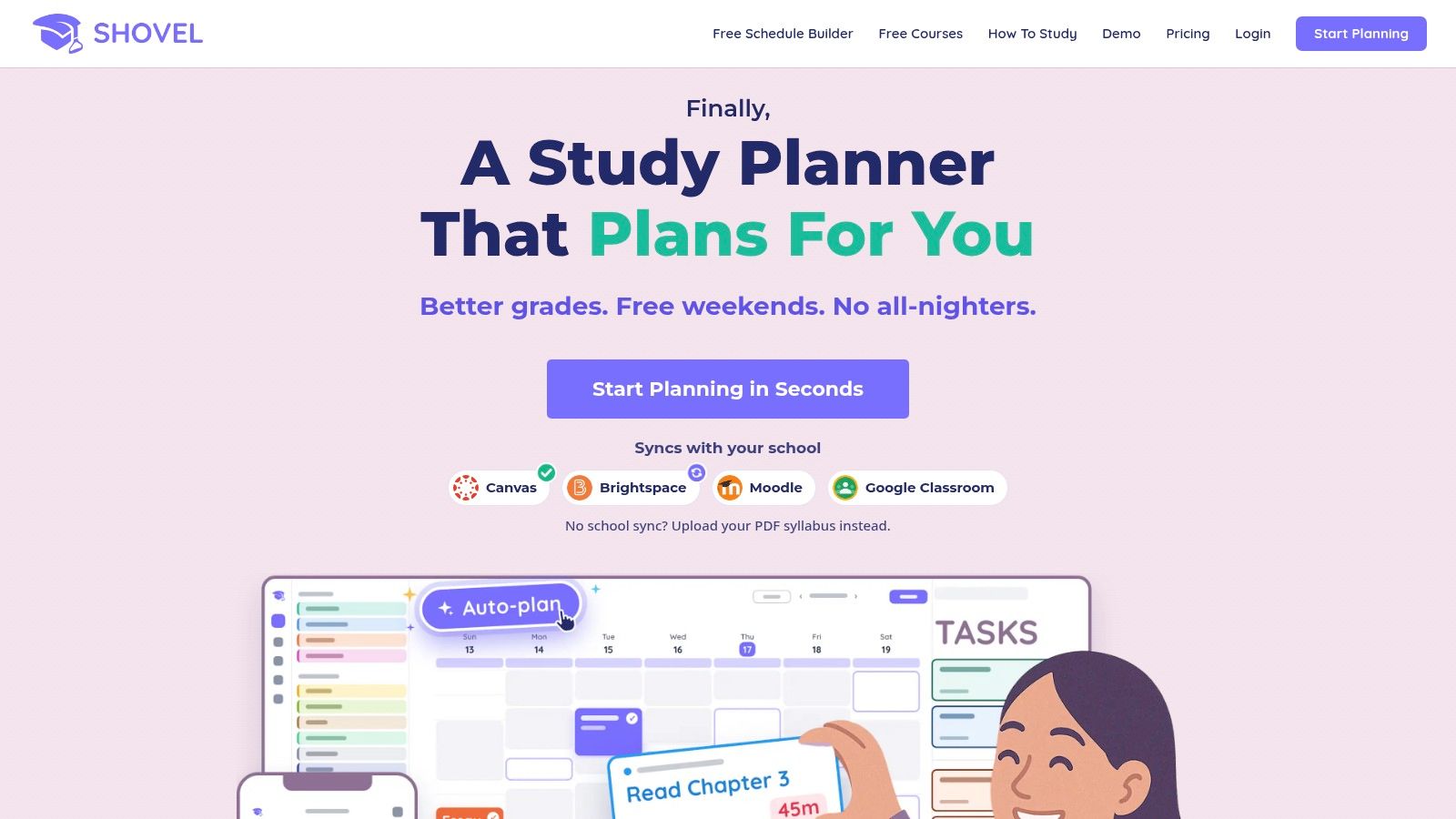
A deadline tells you when work must finish. Shovel helps you decide when you'll do it. It schedules study tasks around classes and other commitments, while its Cushion feature indicates whether the time you've allocated appears sufficient.
That's useful when your thesis plan looks reasonable until you account for paid work, laboratory sessions, and other assignments. Canvas imports can also reduce manual entry for coursework, leaving you to schedule research tasks yourself.
- Best use: Reserve work sessions for concrete outputs, such as coding interview material or revising a discussion section.
- Important limitation: The schedule depends on your estimates of how long those outputs will take.
- Pricing caution: Published pricing varies across pages, so confirm the amount at checkout rather than relying on an older comparison.
Revise estimates as you learn
Research tasks are difficult to estimate before you understand them. Treat an initial duration as a planning assumption, then revise it after working on the task. Don't keep compressing unfinished analysis into the same calendar slot.
Practical rule: Schedule a defined piece of research work, then update the estimate from what you learned. Don't time-block an entire chapter as though its scope were settled.
Shovel requires more setup than a simple to-do list. That effort is worthwhile if your main problem is an overloaded week. It won't replace a chapter-status record, source library, or supervisor review process, but it can make the available time behind your thesis plan explicit.
4. Power Planner
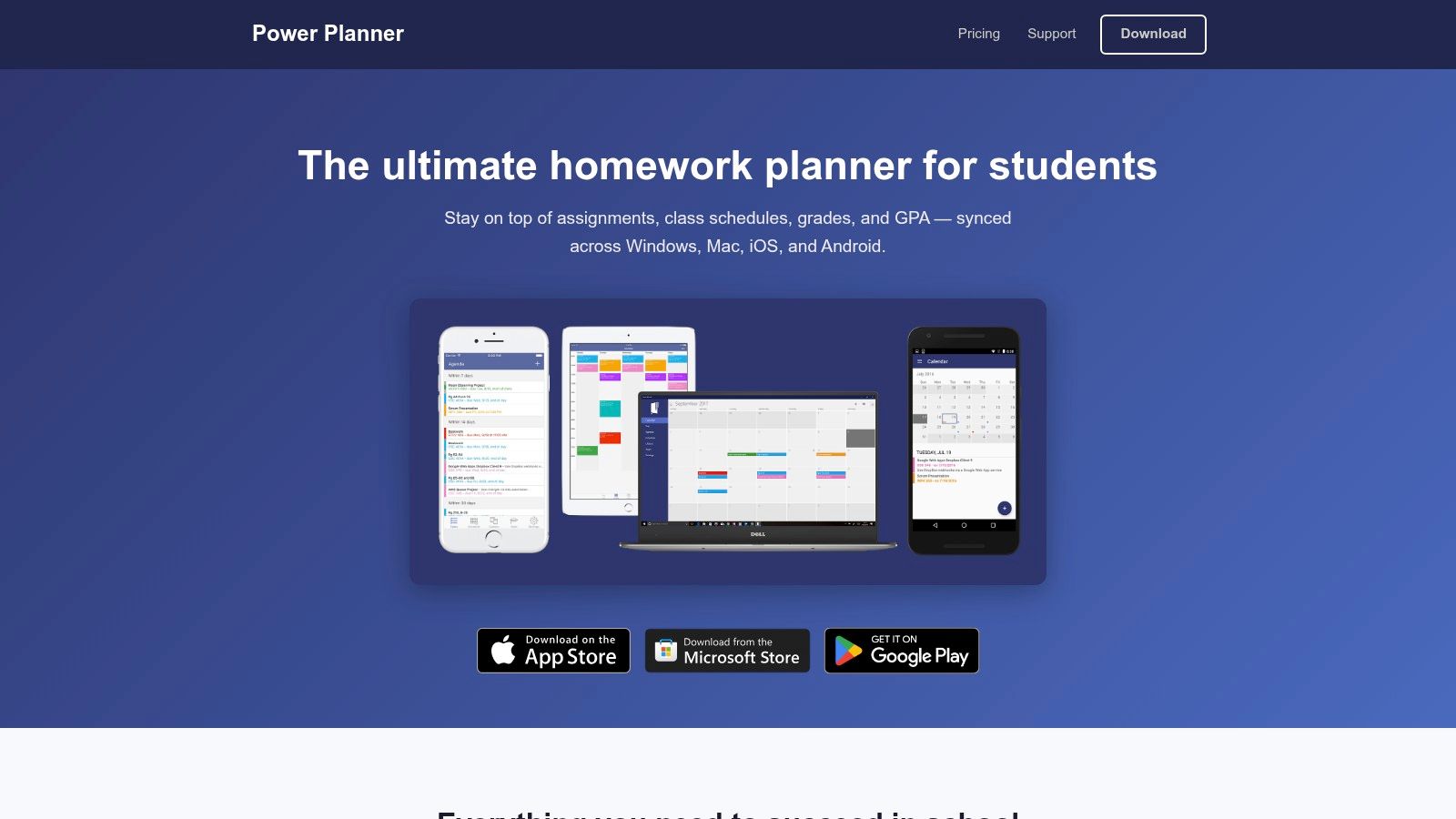
Grades and coursework distinguish Power Planner from thesis-first tools. It combines assignments, exams, class schedules, reminders, grade calculations, and GPA tracking. Its What If scenarios suit students who need to understand how remaining assessments could affect course results.
For an undergraduate dissertation student, that can be valuable. The dissertation matters, but it isn't necessarily the only assessment competing for attention. Seeing other deadlines helps you avoid allocating the same study time to incompatible commitments.
A useful companion during a taught program
Power Planner syncs across web, desktop, and mobile platforms. It also supports A/B schedules and widgets, making it practical for checking the next class or approaching assignment without opening a separate planning system.
Its payment structure is distinctive: the free version is ad-free, and Premium is a one-time lifetime purchase rather than a recurring subscription. The free tier limits semesters, grades per class, and some additional features.
For thesis work, use its assignment tracking selectively:
- Record chapter handoffs: Add dates for sending material to your supervisor.
- Separate revision work: Don't mark a chapter complete merely because you submitted a draft.
- Maintain references elsewhere: Grade calculations and calendars don't replace literature management.
The developer states that Power Planner lacks Canvas and Blackboard integration. That means manual entry may remain part of your routine, and custom timetable needs deserve checking before you commit. I'd recommend it for students balancing assessed modules with research, rather than candidates whose work is almost entirely dissertation-based.
5. myHomework Student Planner
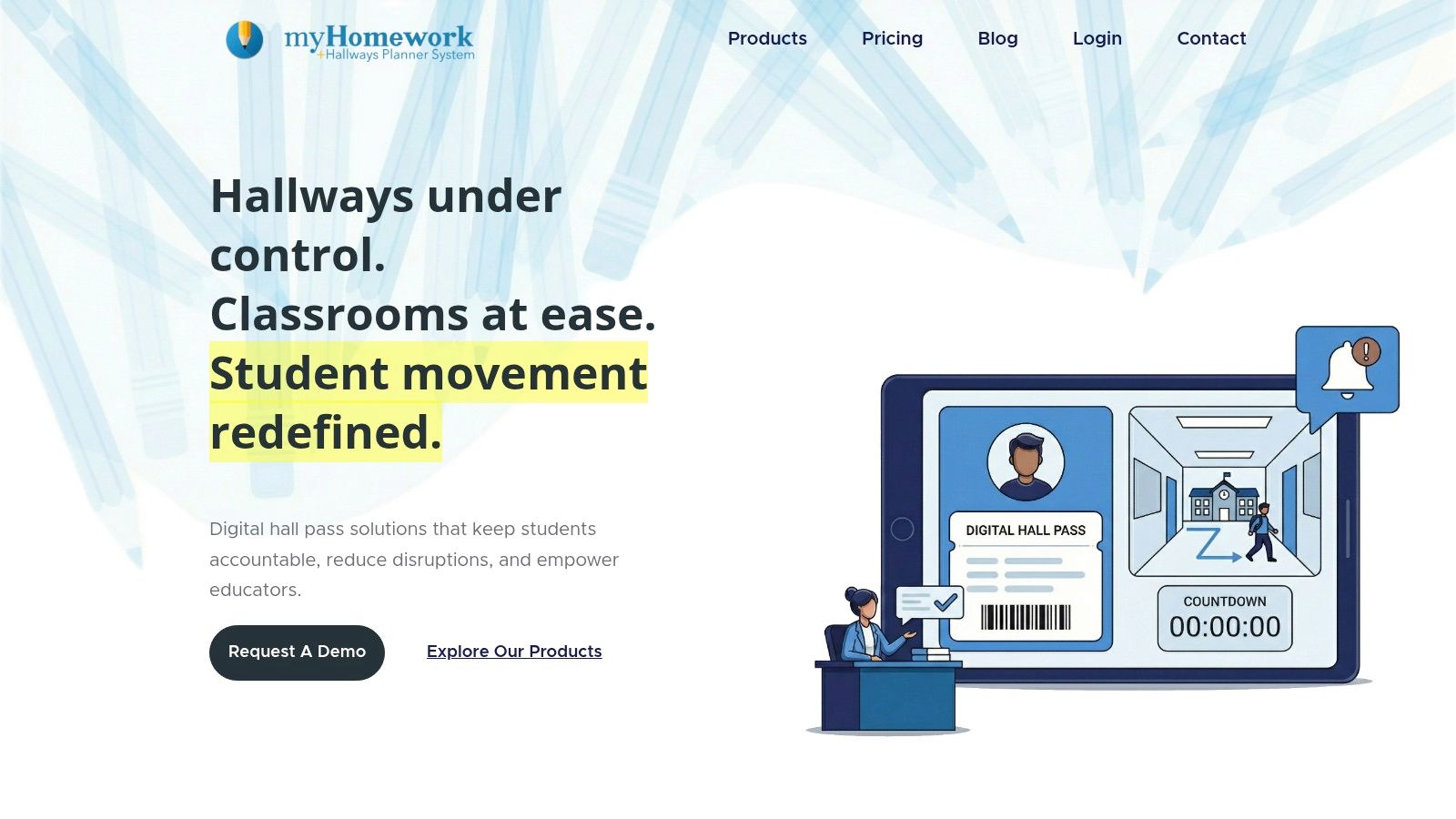
If maintaining your planner has become another assignment, myHomework Student Planner offers a more straightforward approach. It tracks classes, homework, tests, projects, due dates, and reminders. Calendar views and assignment filters help you find immediate obligations.
That narrow focus can be useful. You don't need a detailed research dashboard to remember a seminar presentation or a chapter handoff. Device syncing also keeps those commitments accessible away from your desk.
- Free option: A free tier is available, but it includes ads.
- Paid option: Premium provides an upgrade path without requiring you to adopt a more elaborate planning system.
- School connection: Teachers.io can supply class information and materials where teachers or schools participate.
Keep the roadmap outside the assignment list
The weakness appears when you try to represent an entire dissertation as homework. A project entry can hold a deadline, but it doesn't explain the sequence between refining a question, choosing a method, collecting material, and interpreting findings.
Establish the relationship between your thesis and roadmap before entering daily tasks. Then use myHomework for the actions you need to execute during the current week.
For example, schedule sending an interview guide for review rather than entering the whole methodology chapter as a single assignment. Keep reading notes and references in a separate system, and prepare supervisor updates from your master plan. This is a practical choice for daily coursework management, not a complete research workspace.
6. Schooly
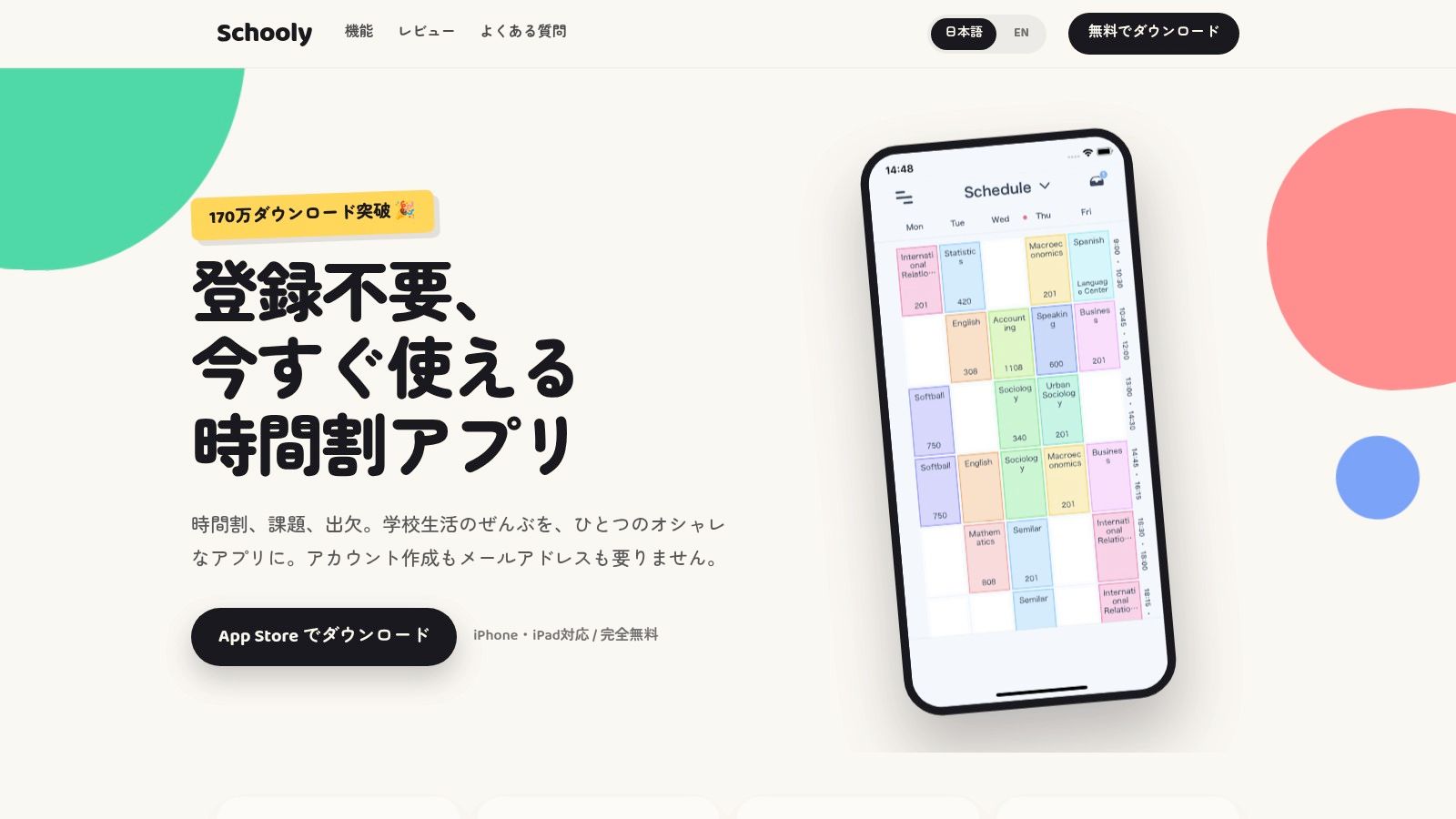
When compulsory classes take up fixed blocks of your week, planning thesis work starts with knowing when you are free. Schooly combines timetables, assignments, exams, and attendance tracking, which can help you map research time around scheduled commitments.
Multiple schedules and color-coded subjects separate teaching commitments. Widgets and deadline reminders make classes and tasks easier to check. These features organize your week, but they do not map how one thesis chapter depends on another.
Stronger for scheduled commitments than research dependencies
Schooly is less suited to a self-directed thesis schedule. Attendance records cannot show whether an analysis chapter needs more evidence or whether supervisor feedback has delayed a later milestone. Keep chapter stages and unresolved decisions in a separate record, and leave realistic writing time around your fixed commitments.
- Entry cost: A free starting option is available.
- Premium limitation: Some features, including iCloud sync, require an upgrade.
- Platform support: Check Schooly's current compatibility with your phone or computer in the app store before building your routine around it.
Reminders work best when they name a concrete action. A prompt to send revised research questions gives you a clear next step; a vague alert to work on your thesis does not.
A What Works Clearinghouse review of a blended-course study found no statistically significant persistence improvement from text or email reminders compared with business as usual. Treat alerts as prompts, not as a substitute for a workable thesis schedule.
7. Erin Condren Academic Planner
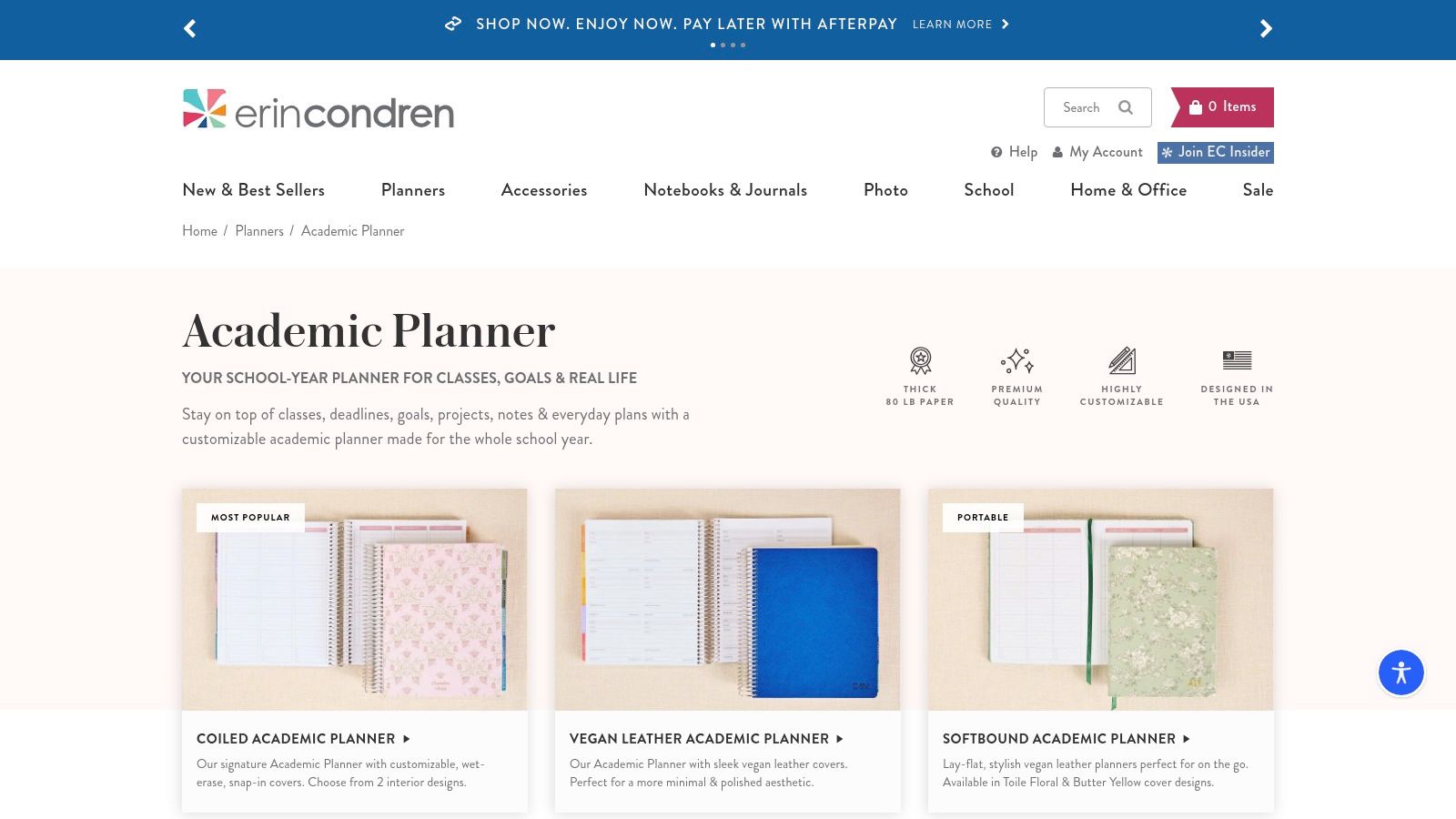
Open a paper planner across your desk and you can review the week without switching between apps. The Erin Condren Academic Planner provides that physical overview through monthly and weekly pages, class schedules, deadline trackers, and project and exam sections.
Coiled and softbound options offer different handling preferences. Covers, sizes, and interiors vary, so choose the writing layout before choosing decorative extras. A planner you can comfortably carry and write in is more useful than an elaborate configuration you leave at home.
Build a manual thesis overview
Use monthly pages for major handoffs and weekly spreads for the work that makes those handoffs possible. In the project section, maintain a chapter register with stage, next action, and pending feedback.
That gives you a workable paper version of chapter tracking. It still depends on you updating every affected page when a milestone changes.
Paper-planning limit: A crossed-out deadline doesn't update the rest of your thesis schedule. Review the later milestones whenever an earlier stage slips.
The purchase is for a physical product, with customization and accessories potentially increasing the total. Check the dated layout against your program calendar before ordering.
There are no automatic reminders, device syncing, or live supervisor views. You'll also need a separate reference system. I'd choose this planner for students who think clearly on paper and will maintain a master thesis overview, not for those who need automatic rescheduling or shared progress reporting.
8. Plum Paper Student Planner
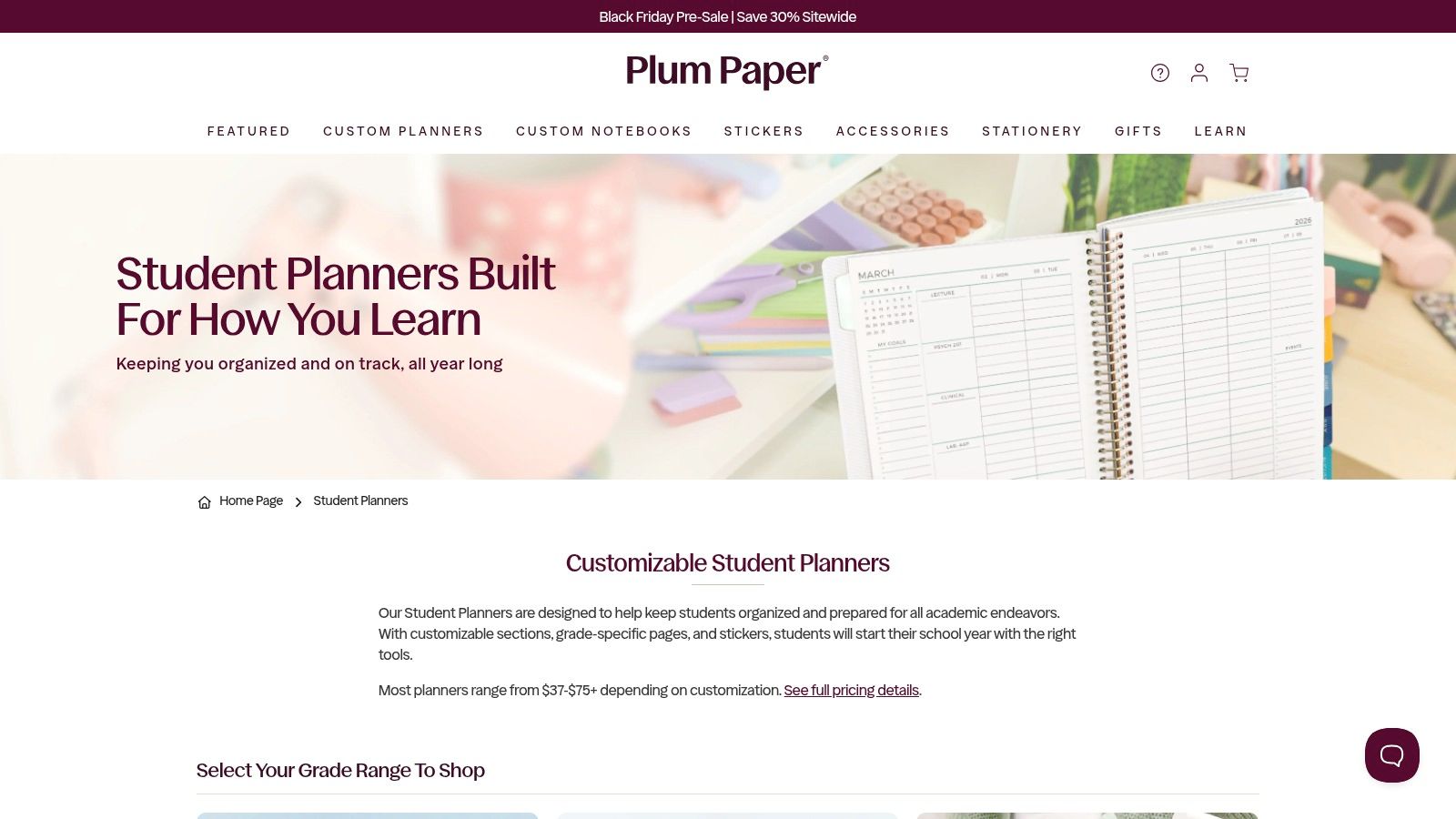
Layout choice is the main reason to consider Plum Paper Student Planner. Its customizable weekly layouts, sections, and grade-specific pages let you choose a structure closer to how you organize academic work.
For thesis planning, prioritize space for research outputs over school-style subject boxes. A layout organized around reading, analysis, drafting, and administration may be more useful than one that assumes your day revolves around classes.
- Choose useful sections: Reserve space for chapter status, supervisor questions, and upcoming handoffs.
- Avoid excessive customization: Every additional section creates another place you may feel obliged to update.
- Account for cost: Configuration choices and optional add-ons can raise the purchase price.
Leave room for changing capacity
A rigid spread can become frustrating when illness, caring responsibilities, or variable work shifts alter your week. A systematic review of coping strategies among university students with disabilities identified time-management strategies as the most common approach, but that doesn't mean students can rely on stable capacity.
Give your paper plan room for alternatives. Alongside deep writing, list lower-demand actions such as annotating a source, checking a reference, or recording a question for your supervisor.
Plum Paper allows you to choose a useful layout, but flexibility still depends on how you use it. Reminders, source organization, and sharing remain manual or external. Its strongest fit is a student who already knows what a useful weekly spread looks like and wants to purchase that structure rather than draw it repeatedly.
9. Passion Planner Digital Student Planner
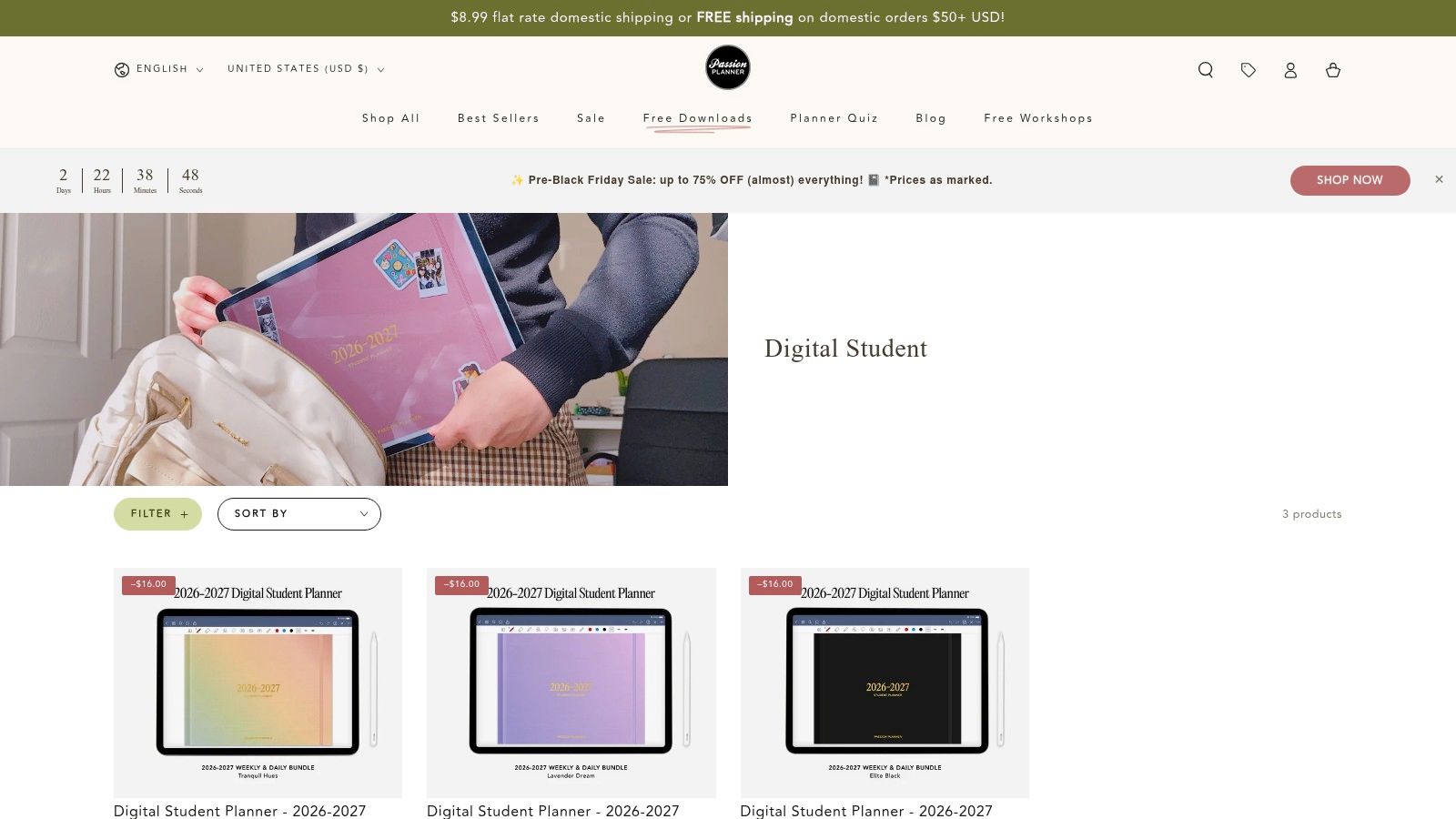
The Passion Planner Digital Student Planner is a planner file, not a scheduling app. It's a downloadable, hyperlinked PDF designed for annotation software such as Goodnotes, Notability, and Xodo.
That distinction matters. You get handwritten tablet planning and navigation between sections, but you don't get built-in task reminders or automatic dependency management. Syncing depends on the annotation app and its account setup.
Useful templates, manually maintained progress
The academic templates include assignments, projects, exam preparation, essay planning, grade tracking, reading summaries, and references. Those pages can support thesis thinking more directly than a simple weekly diary.
Use reading summaries to record a source's argument and relevance to your chapter. Use essay-planning pages to sketch the logic of an argument before drafting. Neither function should be confused with a dedicated citation manager that handles your referencing workflow.
- Best fit: Students who prefer handwriting but want to carry their planning pages on a tablet.
- Trial option: A free sample lets you test navigation and writing space before buying.
- Additional requirement: You need a suitable device and compatible annotation software.
The main trade-off is manual maintenance. Moving a milestone means changing the relevant pages yourself, and sharing a PDF isn't the same as maintaining a live supervisor dashboard.
I'd choose this over paper when handwritten planning is central to your process and you already use a tablet comfortably. I wouldn't buy a tablet solely to solve a thesis-planning problem that a simpler tool could handle.
10. Day Designer Academic Year Planner
Day Designer Academic Year Planner suits students who need room to plan the working day. Its daily formats provide space for schedules, priorities, notes, and reflection. Weekly formats offer a broader view with less daily detail.
For thesis work, that distinction matters more than cover design. A daily page helps you identify the immediate writing or analysis output, while a weekly spread makes it easier to see competing commitments.
Connect daily priorities to the submission plan
Start with a separate timeline for research, then transfer the current actions into the planner. Without that connection, you can complete daily lists while leaving the hardest chapter untouched.
Make the priority an observable output: revise the sampling justification, resolve contradictory coding, or prepare an argument outline. Avoid filling the page with administration merely because those tasks are easier to finish.
- Daily format: Better for detailed scheduling and notes, but potentially excessive if you prefer brief planning.
- Weekly format: Better for reviewing commitments together, with less space for working detail.
- Purchase considerations: Prices vary by format and promotion, so compare the actual editions you're considering.
This remains a paper system. Reminders, schedule changes, reference organization, and supervisor updates require separate action.
Choose it if your long-range thesis structure is already clear and your main difficulty is deciding what deserves attention today. It's less appropriate if you need the planner itself to explain the sequence from proposal to submission.
How the 10 academic planners compare at a glance
| Item | Format | Pricing Model | Best For |
|---|---|---|---|
| Thesis Book Project | Web-based thesis and dissertation planner | Free Starter; Pro $8/month; Team $19/month | Students and researchers planning a thesis or dissertation |
| MyStudyLife | Web and mobile student planner | Free core planner; optional subscription | Students managing classes, coursework, and exams |
| Shovel | Digital study planner with calendar time-blocking | Pricing varies; confirm at checkout | Students scheduling study time around commitments |
| Power Planner | Student planner for web, desktop, and mobile | Free version; one-time Premium purchase | Students tracking assignments, schedules, grades, and GPA |
| myHomework Student Planner | Web and mobile planner | Free tier with ads; optional low-cost Premium | Students managing day-to-day coursework |
| Schooly | Student planner app | Free entry point; some premium features | Students tracking timetables, tasks, exams, and attendance |
| Erin Condren Academic Planner | Physical planner | Price varies by format and customization | Students who prefer structured paper planning |
| Plum Paper Student Planner | Customizable physical planner | Price varies with customization and add-ons | Students seeking a personalized paper planner |
| Passion Planner Digital Student Planner | Downloadable hyperlinked PDF | Free sample; planner purchase | Students who prefer handwritten planning on a tablet |
| Day Designer Academic Year Planner | Physical daily or weekly planner | Price varies by format and promotions | Students who prefer detailed paper planning for the academic year |
Matching a Planner to Your Thesis Stage and Workflow
A thesis plan changes as the work moves from proposal to submission. Early on, the main task is making the project's sequence visible. Near submission, the focus shifts to tracking revisions, feedback, formatting, and remaining requirements. Choose a planner that fits the work in front of you while still supporting the full project.
For early-stage work, prioritize a roadmap and chapter-level tracking. A calendar can hold writing tasks, but it may not show which research decisions must come first. Keep open questions visible so you can address them before they delay later work.
If coursework still takes most of your time, MyStudyLife, Power Planner, myHomework, and Schooly can help organize immediate academic obligations. Shovel may suit students who need to schedule study time around those commitments. For thesis work, check whether the planner also supports chapter progress and source organization.
Match the format to how you will maintain it
Erin Condren, Plum Paper, and Day Designer offer paper formats for students who prefer a physical planning surface. Passion Planner provides a digital planner for tablet use. Compare writing space, portability, and how easily you can update changed milestones. The best format is the one you will keep current.
- For chapter visibility: Track outlining, drafting, review, and final revision as distinct stages.
- For source-heavy work: Connect references to the chapter questions they support, using a source manager if needed.
- For supervisor meetings: Bring completed work, blockers, decisions needed, and the next planned handoff.
Build in buffer time for difficult weeks. Identify smaller tasks you can complete when a long writing session is unrealistic. When you move a task, revise the schedule rather than letting overdue entries accumulate.
Test the workflow before spending
Start with your fixed submission date and review your plan weekly. Work backward through revision, supervisor feedback, drafting, analysis, and earlier research requirements. Check institutional deadlines separately from personal targets.
Compare planned outputs with actual progress at each review. If a chapter has stalled, identify the barrier: uncertainty, missing evidence, excessive scope, or limited time. Adjust the task or schedule to address it.
Try a free tier or sample before paying, if available. Test how the planner handles a chapter milestone, unfinished work, a changed deadline, and a supervisor update. Attractive pages and long feature lists matter less than whether the workflow is practical to maintain.
Thesis Book Project offers a thesis roadmap, chapter tracking, and deadline planning to connect weekly work with submission. Its Starter plan is free and includes one project and community support. Start a free Starter project with Thesis Book Project to organize your thesis deadline into chapters and milestones you can review each week. For students evaluating medical programs, residency planning before paying a deposit is a separate decision to make before detailed scheduling.
Related Articles
How to Respond to Supervisor Feedback: A Practical Guide
Your supervisor's comments are open in one window and your draft in the other. Some notes are bl...
Thesis WritingSource One Management Services: Thesis Reference Guide
You search for a way to keep your thesis references straight, and the results talk about supplier ne...
Thesis WritingSubmission Requirements for Theses: A Complete Guide
You've finished the chapters, your supervisor has said the argument holds, and the only task lef...
Comments (0)
No comments yet. Be the first to share your thoughts.