How to Create Reference List Without Citation Errors
Learn how to create reference list entries step by step, from capturing source details to applying one style and auditing every citation before you submit.
You're close to submission, but your reference list still looks like a collection of database exports. Some entries have missing dates. Others use different capitalization, repeat the same article, or don't seem to match anything in your chapters. Fixing the appearance is tempting, but the key task is checking whether a reader can trace your evidence.
Table of Contents
- Why a Reference List Is Not Just a Copy-Paste Task
- Gathering Complete Source Details Before You Write
- Choosing One Style and Its Entry Rules
- Formatting Tips for Consistent Entries
- Auditing Your List Against In-Text Citations
- Verifying Sources Found Through AI Tools
- Automating Your List and Taking the Next Step
Why a Reference List Is Not Just a Copy-Paste Task
A polished reference list can still be wrong. An entry might look convincing while naming the wrong author, pointing to another publication, or documenting a source you removed from the manuscript. Formatting is only part of reference-list quality.
Treat the list as a verifiable audit trail. Your reader should be able to move from a claim in your chapter to its citation, then to a complete record that identifies the supporting work. Copying an entry is useful only when you've checked what you copied.
Know Which List Your Institution Expects
The terms reference list, works cited, and bibliography aren't automatically interchangeable. The University of Portsmouth's APA guidance distinguishes a reference list containing cited works from background reading that doesn't belong in that list.
Use these distinctions when interpreting your thesis requirements:
- Reference list: The retrievable works cited in your text, subject to the selected style's exceptions.
- Works cited: The label used for the corresponding list in MLA.
- Bibliography: A list whose scope may include consulted material, depending on the citation system and institutional requirements.
Don't assume that a departmental request for a bibliography means you should rename an APA reference list and leave everything else unchanged. Establish whether the department expects cited sources only, a broader reading record, or separate lists.
More Entries Don't Mean Stronger Evidence
Adding an uncited book doesn't show where it influenced your argument. It makes the reader work harder to distinguish supporting evidence from general reading. Keep consulted-but-uncited material in your research records unless your thesis handbook requires its inclusion.
Practical rule: Keep a broad reading library, but build the submitted list around the evidence your manuscript actually uses.
This distinction also prevents unnecessary cleanup. A reading list can hold promising sources, abandoned approaches, and material awaiting evaluation. Your submitted reference list has a narrower purpose.
Learning how to create a reference list therefore starts with deciding what belongs in it, not choosing punctuation. Complete metadata, an approved style, verified citations, and controlled automation all serve that purpose. A longer list isn't the target. A traceable one is.
Gathering Complete Source Details Before You Write
Capture source details while the publication is open in front of you. Don't leave yourself a title fragment and assume you'll recover the correct edition or article version during submission week.
Use a source manager or structured research sheet to separate bibliographic information from your notes about the argument. Store the original title and author details faithfully. Apply the chosen style's capitalization and punctuation when generating the entry.
Use a Complete Capture Checklist
MLA's core-element guidance identifies nine categories: author, title of source, title of container, other contributors, version, number, publisher, publication date, and location. Use them as a capture checklist, not as an instruction to force every category into every entry.
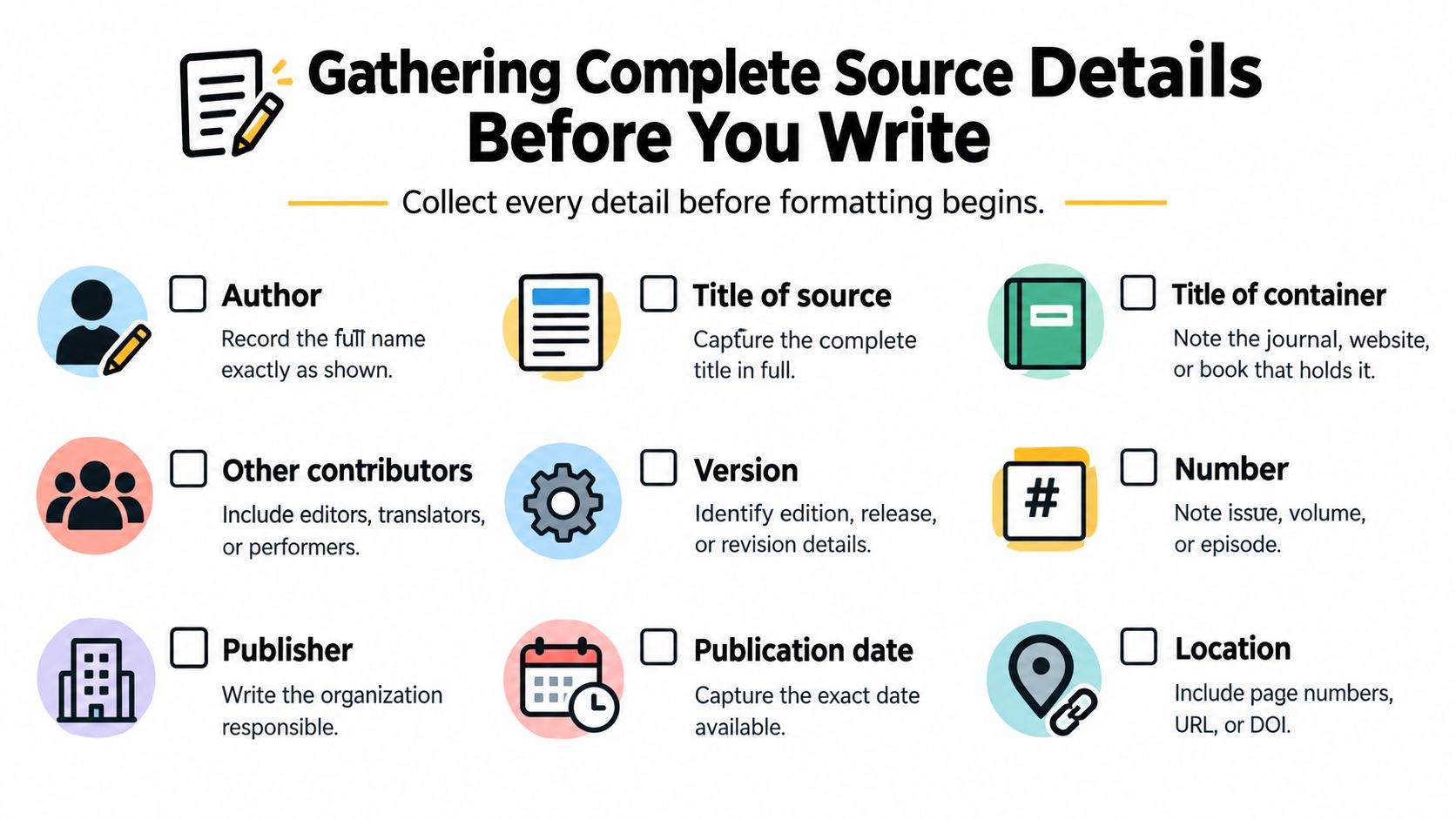
A practical record should distinguish the work from the publication that contains it:
- Identity: Record the author names in their published order and the complete source title.
- Container: Capture the journal, edited book, website, or other publication holding the work.
- Publication context: Save relevant editors, translators, edition information, volume, issue, publisher, and date.
- Location: Preserve the page range and applicable DOI or URL.
For a journal article, open the article itself and its publication record. Capture the article title separately from the journal title, then record the volume, issue, publication date, page range, and identifier where available. Save publisher or sponsoring-organization information when relevant, even if the final template won't use it.
Record Uncertainty Instead of Filling Gaps
A web page without an obvious date needs a research note, not an invented year. Mark the date as unresolved, inspect the page's publication information, and consult the approved style's missing-date instructions before formatting.
The same discipline applies to unclear authorship. Don't promote a website name into the author field merely because it appears prominently at the top of the page. Establish responsibility for the specific work.
Add working fields alongside the bibliographic record:
| Working field | What to record |
|---|---|
| Verification status | Which details remain unresolved |
| Intended use | The argument or passage the source may support |
| Chapter location | Where you expect to use it |
| Original item | The saved publication or its accessible location |
These notes aren't part of the finished citation. They let you resume verification without reconstructing your research decisions.
Choosing One Style and Its Entry Rules
Choose the style your institution requires, not the one your database export happens to provide. Check the thesis handbook, departmental template, and supervisor's instructions. Confirm the edition as well as the style name.
If those instructions conflict, ask for a decision before formatting the entire manuscript. It's easier to resolve a heading or indentation requirement early than to reverse a document-wide change shortly before submission.
APA 7 and MLA Layout Rules Compared
The official APA reference-list guidance specifies APA 7 layout requirements, including a new page, double spacing, alphabetical ordering, and a 0.5-inch hanging indent. The MLA requirements below follow the core-element guidance cited earlier.
| Rule | APA 7 | MLA |
|---|---|---|
| Heading | References | Works Cited |
| Placement | Begin on a new page at the end of the paper | Begin on a separate page at the end of the paper |
| Ordering | Alphabetically by the first author's surname | Alphabetically by author |
| Spacing | Double-spaced | Apply the required MLA layout |
| Indentation | Hanging indent | Apply the required MLA layout |
Don't choose between these systems based on visual preference. The governing requirement is your institution's approved style.
Classify the Source Before Applying a Template
A journal article, an edited-book chapter, and an entire book need different entry templates. Classify the item before asking a generator to format it. Otherwise, accurate metadata can still produce an unsuitable reference.
The following are structural templates, not real book references. They show how the same book information is arranged differently:
- APA book template: Author surname, Initials. (Year). Book title. Publisher.
- MLA book template: Author surname, Given name. Book Title. Publisher, Year.
Notice the placement of the year and the treatment of the author's name. Copying the APA date position into an otherwise MLA entry produces a hybrid, not a valid alternative.
For sources involving notes, consult MLA footnote examples alongside your required style instructions. Don't assume a note substitutes for whatever final-list entry the system requires.
Record the approved style and edition in your project notes, then apply that decision across chapters. One approved system should govern the submitted list, except where the thesis handbook explicitly requires a separate treatment.
Keep any institutional exceptions beside that decision. A written note about an approved departure is more useful than relying on memory when you revisit the document after revisions.
Formatting Tips for Consistent Entries
Format from verified records, not from a mixture of pasted examples. When entries come from different databases, their appearance can vary even before you make changes. Correct the underlying fields before adjusting the exported text.
Think of formatting as a consistency pass with a defined purpose: make equivalent source types follow the same approved rules. It isn't the stage for deciding whether a source supports your argument.
Keep Identifiers and Ordering Under Control
For APA entries, preserve the DOI or URL exactly and omit a final period after it. The APA guidance cited earlier identifies this as part of correct reference construction. Don't add punctuation to make a link-ending entry resemble a book entry.
Use these habits during the formatting pass:
- Check the sort field: Where an author is present, alphabetize by the first author's surname rather than the article title.
- Inspect title treatment: Compare capitalization and italics against the selected source-type template.
- Keep names stable: Don't alternate between differently entered forms of the same author without checking the original.
- Review link boundaries: Make sure punctuation hasn't become part of a DOI or URL.
For additional APA examples, the Northeast Wisconsin Technical College citation guide sets out author ordering, title treatment, and source-specific reference patterns. Use an example matching your item, not merely one that looks similar.
Resolve Duplicates Before Polishing
Suppose you import an article from a database, then later save its publisher record. Treat that as a possible duplicate, not automatically as a second work.
Compare the title, authors, identifier, and version details. If both records describe the same work, retain the more complete record and preserve any research notes before removing the duplicate. If they represent different versions, establish which version you used.
A formatting tool can make an incorrect record look consistent. It can't make that record accurate.
A useful rehearsal is to export a chapter's references and inspect them beside the manuscript. Look for misplaced italics, inconsistent spacing, broken hanging indents, and duplicate entries. Then correct reusable metadata problems in the source record rather than repeatedly patching each export.
Finally, inspect the document you'll submit. A clean source-manager preview doesn't excuse formatting that changed during copying, template application, or final document preparation.
Auditing Your List Against In-Text Citations
Proofreading isn't an evidence audit. Reading for tidy punctuation won't reliably expose a wrong publication year or an entry attached to the wrong claim.
A review of reference-accuracy research reports errors of approximately 25%–54% across scientific disciplines and 22%–51% in student APA reference work, with most student samples near 30%. Those findings justify a recorded checking process rather than confidence based on appearance.
Verify the Bibliographic Record
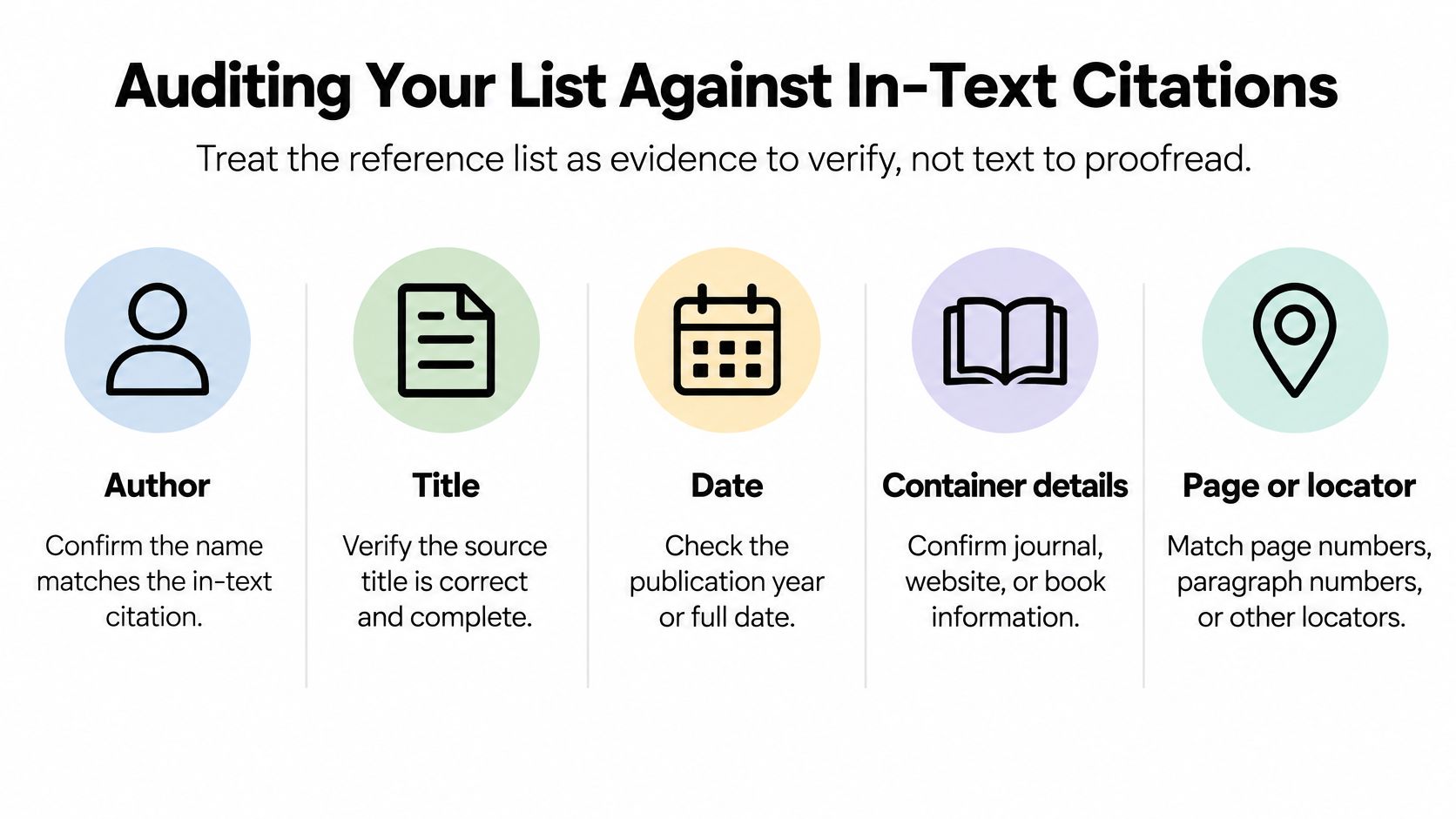
Open the original publication and verify the fields that identify it:
- Author sequence and spelling: Check every name against the publication, not another reference list.
- Year: Confirm the date associated with the version you used.
- Exact title: Check the complete wording, including the subtitle.
- Container information: Verify the journal or book title and relevant volume, issue, or chapter details.
- Persistent identifier or URL: Confirm that it leads to the intended work.
The audit also needs to check the manuscript's citations and any locators used to support particular passages.
Run the Two-Way Check
Start with citation to list. Move through the manuscript and match each in-text citation to its intended entry. Flag missing entries, conflicting dates, and ambiguous author matches.
Then reverse direction with list to citation. Locate the manuscript use for every reference. Remove uncited entries unless an explicit institutional or style exception applies. In APA, personal communications are an exception because readers can't retrieve them.
When the problem is the citation inside the chapter, use this guide to citing articles in a research paper to review the citation's role and placement.
Keep a short defect log rather than correcting without noting it:
| Defect category | What to record |
|---|---|
| Missing or incorrect data | The field, correction needed, and verification status |
| Style errors | Punctuation, capitalization, italics, spacing, or ordering |
| Matching errors | Missing reference, uncited entry, or incorrect manuscript match |
Count defects by category and record which remain open. That makes the audit measurable without inventing an acceptable error rate.
Prioritize online-first articles, edited chapters, translations, organizational authors, and multiple-version sources. For a large list, sample-based formatting review can help, but still check every author name, year, DOI, and URL. Close the audit only after unresolved items have a documented resolution.
Verifying Sources Found Through AI Tools
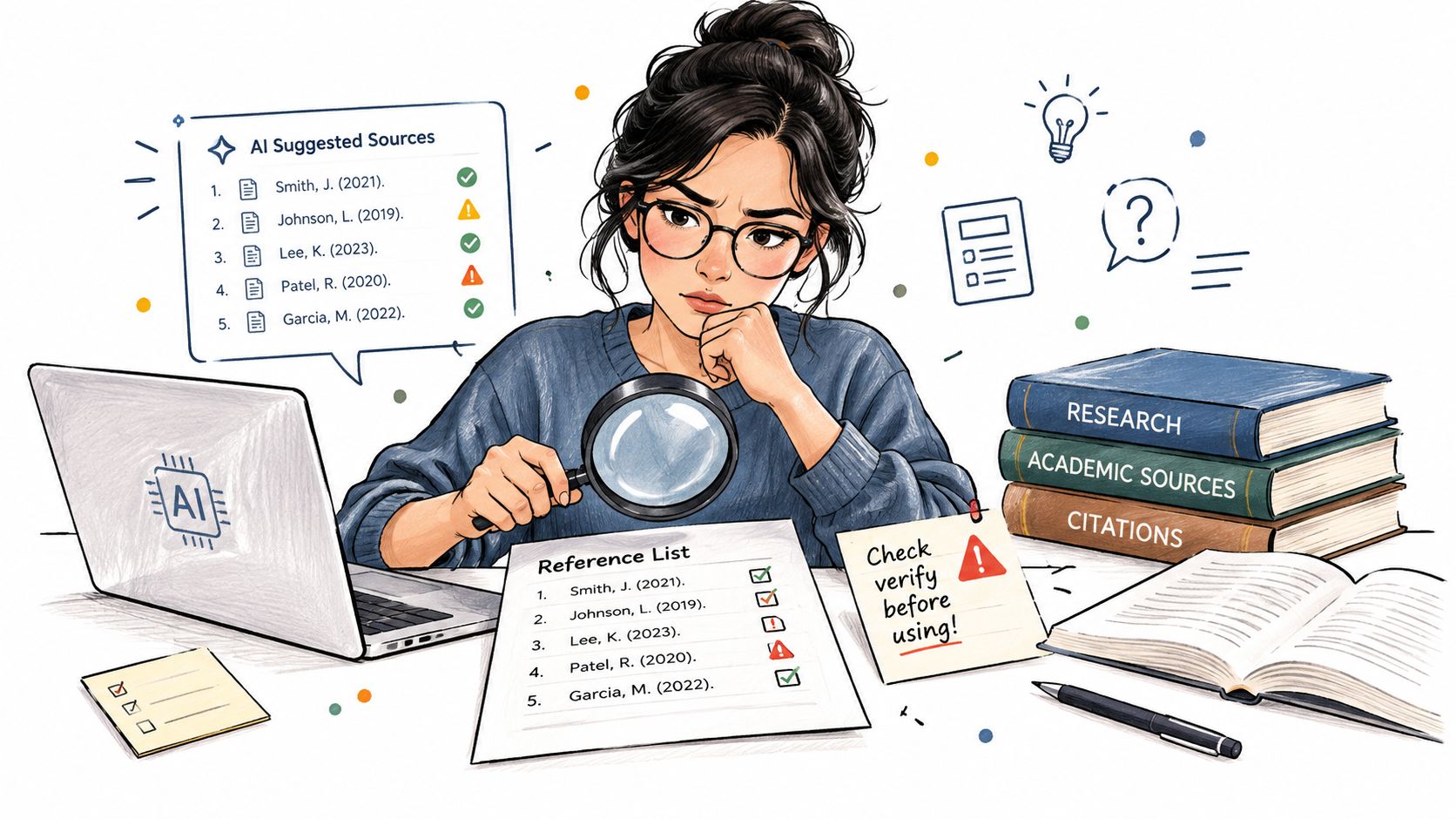
An AI-generated reference is a research lead, not verified evidence. Don't add it to your final list merely because it includes plausible authors, a journal title, and a convincing-looking identifier.
Robert Gordon University's guidance on AI-created reference lists warns about invented authors, titles, and publication details, as well as incomplete references, formatting errors, and unusable links. These are source-verification problems, not just presentation problems.
Trace the Lead to the Publication
Suppose you ask an AI tool for relevant studies and receive a polished list. Some titles appear in your library catalogue; others don't. Don't assume that an inaccessible reference must be genuine but obscure.
Use a deliberate verification sequence:
- Identify the tool's role: Did it help discover a publication, or did it generate substantive content you intend to use?
- Retrieve the original: Search for the publication independently rather than relying only on the supplied link.
- Verify its identity: Compare author, title, date, and DOI or URL with the actual item.
- Check the supported claim: Read the relevant passage and determine whether it says what the generated summary claims.
- Document permitted use: Follow your institution's rules for disclosure, acknowledgment, and any required citation of the tool.
Keep the original publication and your verification notes together.
Keep Unverified Leads Out of the Submitted List
If you can't locate a publication, mark it as unverified and exclude it until you can establish its existence and relevance. Don't repair an invented-looking citation by combining details from different real papers.
Verification also means checking the argument. A real article may discuss your topic without supporting the specific sentence you've written. Revise the claim or find appropriate evidence rather than treating topical similarity as confirmation.
Cite the publication you retrieved and checked, not a summary that merely describes it.
Keep disclosure separate from evidence verification. Recording that you used an AI tool doesn't validate its suggested sources, and verifying a source doesn't remove any institutional disclosure requirement. Where rules require prompts, chat records, or tool-version details, preserve those records while you work.
Automating Your List and Taking the Next Step
Choose automation according to the work you need to control. A document or spreadsheet can be useful when you want visible fields, straightforward notes, and no dependence on a citation plugin. The trade-off is that you must maintain the relationship between records, chapters, and the final list yourself.
A dedicated source manager gives you a central place to maintain records and reading notes. Its value depends on how consistently you use it. Importing a folder of unverified citations doesn't complete the bibliographic work.
Compare Workflows Rather Than Feature Counts
Judge your setup against practical tasks:
| Decision criterion | Document or spreadsheet | Dedicated source manager |
|---|---|---|
| Capture once and reuse | Requires disciplined copying or record references | Look for reusable central records |
| Associate sources with chapters | Maintain a chapter or section field yourself | Check for suitable grouping or planning support |
| Correct metadata | Update each affected location as needed | Correct the central record, then review outputs |
| Review before submission | Maintain an explicit audit checklist | Keep the same audit requirement alongside automation |
For help comparing options, consult this guide to software for references. Choose a workflow you can maintain throughout drafting, rather than the tool with the longest feature list.
Make the Next Review Concrete
Before your next supervisor meeting, bring your current sources into a single working collection. Separate verified records from unresolved ones, and identify which chapters use them. Keep your defect log beside that collection so the meeting can focus on decisions rather than searching for missing details.
A thesis-focused source manager is worth considering when literature organization needs to stay aligned with chapter planning and progress tracking. A standalone reference tool may suit you better if citation editing and bibliography output are your main requirements. Don't assume those tools offer identical functions.
Before migrating everything, test your intended workflow with material you already know well. Check whether you can preserve notes, identify source types, retrieve original items, and carry corrections through to the submitted document.
Automate repetition, not judgment. Let software help organize records and apply templates, but retain responsibility for source identity, claim support, and the final audit. The useful outcome is a reference list you can defend entry by entry.
Thesis Book Project offers a source manager for organizing references and reading alongside chapter planning and progress tracking. Start with the free Starter plan to organize your thesis project, then choose Pro if you need the source manager and prepare your existing sources for a verification pass before your next supervisor meeting.
Related Articles
Sample Article Title for Testing
Sample ArticleThis is a test article content in Markdown format.IntroductionThis webhook test ensure...
Academic SkillsHow to Avoid Plagiarism and Reference Correctly
Plagiarism is one of the few mistakes that can end a degree outright, yet most students who commit i...
Academic SkillsPreparing for Your Viva or Thesis Defense
The viva, or thesis defense, is the final hurdle of your degree, and for many students the most nerv...
Comments (0)
No comments yet. Be the first to share your thoughts.