APA Chapter in an Edited Book: Templates and Examples
Get the APA chapter in an edited book format: reference templates, editor and page-range examples, DOI rules, in-text citations and common errors.
Chapter author, A. A. (Year). Chapter title in sentence case. In E. E. Editor (Ed.), Book title in italics (pp. x-y). Publisher. https://doi.org/xxxx is the complete template, and you don't include the publisher location. That omission surprises many students because older reference lists put a city before the publisher name, so an entry that ends with Springer. can look unfinished.
It isn't unfinished. The entry is built around a different logic. A chapter in an edited book has two layers of authorship. One person wrote the chapter you read. Another person, or several people, assembled the book that contains it. If you understand that split, you can rebuild an APA chapter in an edited book citation even when your source doesn't match a tidy example.
Keep one model entry beside you as you read. You'll see it broken apart, rebuilt with different editor counts, and adapted for print and digital versions. Change one element at a time. That's how you avoid the common error of copying a catalogue record and hoping it's already in APA style.
Table of Contents
- The Standard APA Format for an Edited Book Chapter
- Editor Count Rules for the Reference List
- Page Ranges, Editions and Volumes in the Reference
- When to Add a DOI, a URL or Nothing
- Print, E-Book and Database Versions Compared
- Complete Reference Entries for Each Source Type
- In-Text Citations for a Chapter Author
- Common Citation Mistakes and How to Fix Them
- Check Each Entry Before You Submit
The Standard APA Format for an Edited Book Chapter
Start with the full template on one line:
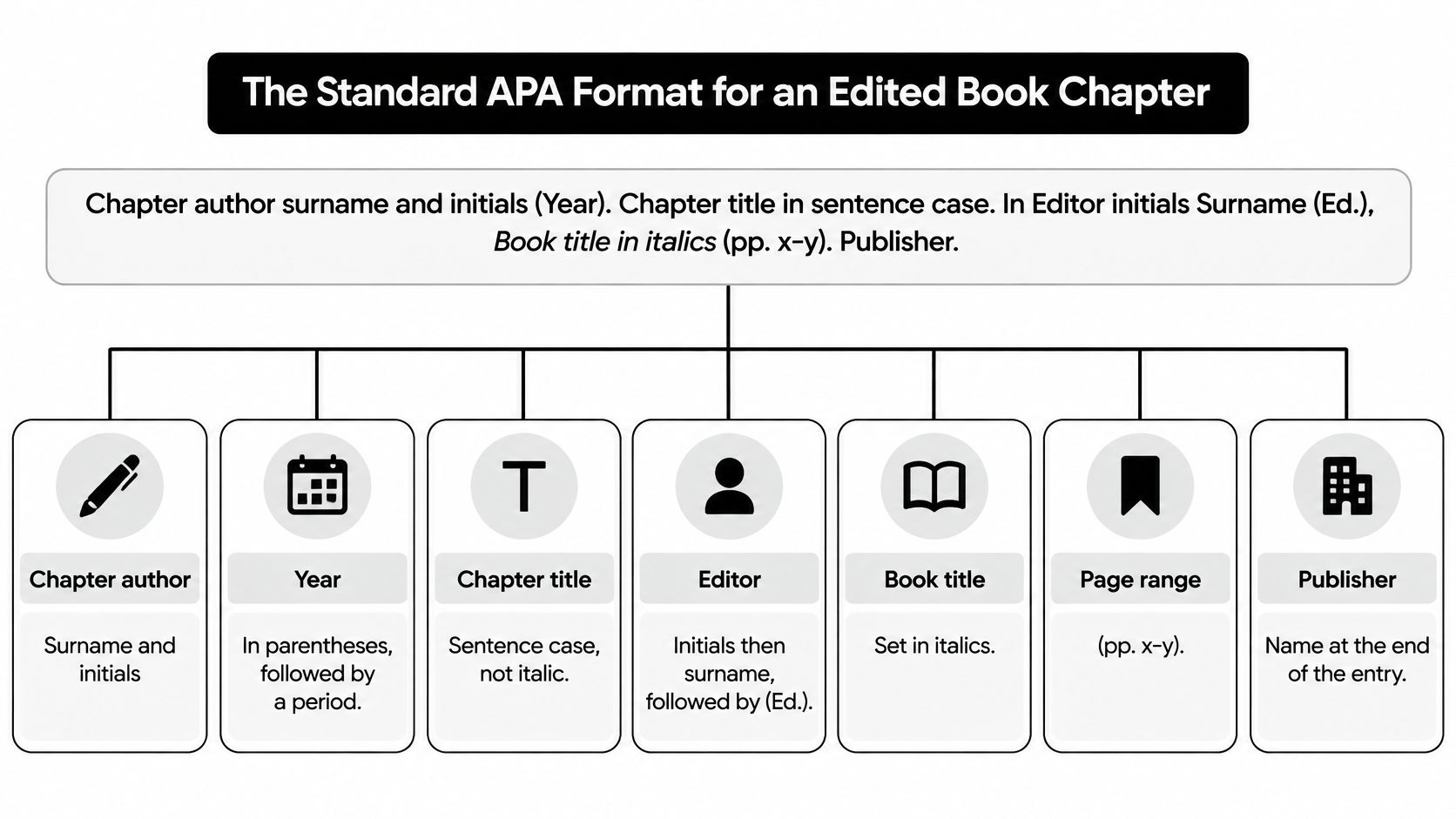
Chapter author surname and initials (Year). Chapter title in sentence case. In Editor initials Surname (Ed.), Book title in italics (pp. x-y). Publisher. DOI or URL.
Read it from left to right. The entry moves from the smallest unit to the largest. First comes the chapter author, who wrote the specific pages you're citing. Then comes the edited volume, identified through its editor and title. Last comes the publisher and, when available, a persistent identifier that lets a reader retrieve the work.
That order isn't arbitrary. APA Style treats a chapter in an edited book as a distinct source type because the chapter author and the book editor perform different scholarly roles, as explained in APA Style guidance on edited book chapter references. The author is responsible for the argument, evidence, and wording inside the chapter. The editor is responsible for selecting, organizing, and framing the contributions in the volume. Your reference has to credit both roles without confusing them.
Why the Entry Has Two Names in Two Positions
The chapter author appears at the start because that's the person a reader needs to locate your source in an alphabetical reference list. It's also the name you'll use in your in-text citations. The editor appears later, after the word In, because the editor leads the reader from the chapter into the larger book.
Notice the name order changes. The chapter author is written as surname first, then initials, for example, Okafor, J. A. The editor is written as initials first, then surname, for example, M. L. Chen. Students often reverse the editor's name to match the author position. Don't. The reversed order is a signal. It tells the reader that this name is part of the container information, not the primary author slot.
If you forget the template, rebuild it from the question sequence. Who wrote the chapter? When? What is it called? Who edited the book? What is the book called? Where in the book does the chapter sit? Who published it? How can a reader retrieve it?
That sequence gives you the eight elements in order. The table below uses one model entry throughout: **Okafor, J. A. (2024). Feedback loops in clinical teaching. In M. L. Chen (Ed.), Handbook of health education (2nd ed., pp. 112–130). Springer.
| Element | APA 7 format | Example |
|---|---|---|
| Chapter author | Surname, initials; up to 20 authors | Okafor, J. A. |
| Year | Copyright year in parentheses, followed by a period | (2024). |
| Chapter title | Sentence case, no italics, no quotation marks | Feedback loops in clinical teaching. |
| Editors | In, initials before surname, (Ed.) for one or (Eds.) for two or more | In M. L. Chen (Ed.), |
| Book title | Italic, sentence case | Handbook of health education |
| Edition and page range | Parentheses after book title; edition first, then pages | (2nd ed., pp. 112–130) |
| Publisher | Name only, no city or state | Springer. |
| DOI or URL | Full https form, no period at the end | https://doi.org/10.1000/xyz123 |
Use this visual map to check the hierarchy before you worry about commas.
Three Formatting Signals to Check First
First, check italics. The book title is italic because it's a standalone work. The chapter title isn't italic because it's part of a larger work. That distinction mirrors journal articles, where the article title is plain and the journal title is italic. Don't put the chapter title in quotation marks either. APA doesn't use them here.
Second, check case. Both titles use sentence case. Capitalize the first word, the first word after a colon, and proper nouns. Lowercase the rest. So you'd write Feedback loops in clinical teaching, not Feedback Loops in Clinical Teaching, even if the printed chapter heading uses title case.
Third, check the ending. There's no publisher location. Write Springer., not New York, NY: Springer. If a DOI or stable URL follows the publisher, don't add a period after it. A trailing period can break the link, and APA treats the identifier as the final element.
One Template for Print and Electronic Chapters
You don't need a separate format for a print book, an e-book, and a chapter you read in a database. APA applies the same structure to print and electronic edited-book chapters. What changes is usually only the last element. A print chapter may end at the publisher. An electronic chapter may add a DOI or stable URL.
That consistency helps when a library record looks crowded. Ignore platform labels and format badges at this stage. Find the chapter author, year, chapter title, editor, book title, page range, and publisher. Match each piece to a slot in the template. If a piece doesn't have a slot, it probably doesn't belong in the reference.
Two details need closer attention before you can use the template confidently. The editor statement changes with the number of editors, and your in-text citation uses a different name from the person you might expect. Both rules follow from the same role distinction. The author wrote the chapter. The editor assembled the book.
Editor Count Rules for the Reference List
The core rule is short. In the reference list, write In, then each editor as initials before surname, then (Ed.) for one editor or (Eds.) for two or more editors. Put a comma after that parenthetical. Then give the italic book title.
The punctuation changes as the list grows. Compare the four cases before you write your own entry.
| Editor count | Editor portion of the reference | Punctuation rule |
|---|---|---|
| One editor | In M. L. Chen (Ed.), Book title (pp. x-y). | Single (Ed.) after the name |
| Two editors | In M. L. Chen & R. Patel (Eds.), Book title (pp. x-y). | Ampersand before the second editor; (Eds.) |
| Three to twenty editors | In M. L. Chen, R. Patel, & S. Ruiz (Eds.), Book title (pp. x-y). | Commas between names, ampersand before the last |
| Twenty-one or more editors | In M. L. Chen, R. Patel, S. Ruiz, ... T. Nakamura (Eds.), Book title (pp. x-y). | First nineteen names, an ellipsis, then the final editor |
One Editor and Two Editors
With one editor, the role label is singular: (Ed.). Write In M. L. Chen (Ed.), and then the book title. Don't add an extra comma between the surname and the parenthetical. The comma belongs after the closing parenthesis because it separates the editor statement from the book title.
With two editors, join the names with an ampersand and switch to the plural label: In M. L. Chen & R. Patel (Eds.),. Students often write and here because that word feels more natural in a sentence. In a reference list, APA uses &. Save the word and for narrative in-text citations, where you're writing prose rather than a reference entry.
Don't repeat the label after each name. Write (Eds.) once, after the full editor list. Writing M. L. Chen (Ed.) & R. Patel (Ed.) breaks the pattern and makes the entry harder to scan.
Three to Twenty Editors
From three editors upward, separate names with commas and put an ampersand before the final name. The comma before the ampersand stays. Write In M. L. Chen, R. Patel, & S. Ruiz (Eds.),. This is the same serial pattern you'd use for multiple chapter authors in the author position, except the names remain in initials-first order.
List editors in the order they appear on the book's title page. Don't alphabetize them. Don't shorten the list in the reference merely because it feels long. APA allows up to 20 names in full before the ellipsis rule applies, and the editor list follows the same principle.
Here's a complete three-editor example. Compare its middle section with the one-editor model from the previous section.
Sato, H. (2022). Community pharmacy outreach. In R. Patel, S. Ruiz, & T. Nakamura (Eds.), Public health in practice (Vol. 2, pp. 210–228). Open Textbook Press.
Only the editor portion changed. Sato still starts the entry because Sato wrote the chapter. Patel, Ruiz, and Nakamura appear after In because they edited the volume.
Twenty-One or More Editors
Large handbooks can have very long editorial teams. When there are 21 or more editors, list the first 19, insert an ellipsis, and then give the final editor. Don't put an ampersand before the final name in this truncated form. The ellipsis signals that names were omitted from the middle.
This case is uncommon in student bibliographies, but the logic matters. The reference gives enough names to identify the volume without letting the editor list overwhelm the chapter information. The chapter author remains the entry point for retrieval.
Practical rule: Editors never move into the author position to shorten an entry. If the first name in your reference is the editor, rebuild the entry. Your in-text citations and alphabetical order will both be wrong.
That mistake usually begins at the search stage. A catalogue may foreground the edited book and list the editor first. A chapter PDF may show the book title prominently on every page. Resist copying that order. Open the chapter's first page, find the chapter byline, and start there.
Also check whether a named person is an editor in fact. Some books credit a foreword writer, series editor, or translator. Don't place those roles in the (Ed.) or (Eds.) slot unless the title page identifies the person as an editor of the volume. If your chapter author is also one of the book's editors, list that person in both positions. The roles are separate, so the citation records both.
Page Ranges, Editions and Volumes in the Reference
The page range belongs to the chapter, not to the whole book. That point causes more confusion than any other part of the parenthetical. If a chapter runs from page 112 to page 130 in a 600-page handbook, write (pp. 112–130). Don't write the handbook's total length. The range tells the reader where this contribution sits inside the volume.
Place the range in parentheses directly after the italic book title and before the publisher. It's container information. It answers the question, where in this book will I find the chapter?
Three Parenthetical Patterns
Copy the pattern that matches your title page and table of contents.
- Page range alone: Clinical education in practice (pp. 45–62)
- Edition with a range: Handbook of health education (2nd ed., pp. 112–130)
- Volume with a range: Public health in practice (Vol. 2, pp. 210–228)
Don't create a separate parenthetical for each fact. Edition, volume, and pages share one set of parentheses, separated by commas. The page range comes last.
When a book has both an edition and a volume, keep the same order. Put the edition first, then the volume, then the pages. For example, you might have (3rd ed., Vol. 2, pp. 45–62). Don't move the range before the edition because a database displays the fields in that order.
Abbreviations and the En Dash
Use p. for a single page and pp. for a range. A one-page chapter introduction might be (p. 45). A normal chapter is (pp. 45–62). The abbreviation is lowercase, and there's a space after the period.
Use an en dash between the first and last page numbers, written as 112–130, not a hyphen with spaces around it. Many word processors replace the dash automatically when you type the numbers, but check the final document. Copying from a PDF can also collapse the dash or insert a line break.
Give the full second number. Write pp. 210–228, not pp. 210–28. APA doesn't shorten the closing page in the way some humanities styles do. Every chapter you cite from the same book should use the same range format, even when you found the chapters through different routes.
Full Range in the Reference, Specific Page in the Text
The reference list carries the chapter's full page range. It doesn't narrow to the two pages you quoted. A specific page for a quotation or a precise point belongs in the in-text citation. Keeping those functions separate lets one reference entry support several citations in your paper.
For example, the reference may give (pp. 112–130) for Okafor's chapter. In the body, a quotation from page 118 needs page 118 in the citation. The later section on in-text citations shows that form. Don't revise the reference range every time you cite a different page.
Before moving on, ask three questions. Is the range inside parentheses? Does it follow the book title? Does it come before the publisher? If any answer is no, fix the placement now.
E-books without stable pagination need care. If the version you consulted provides the print page range on the chapter landing page or in a paginated PDF, use that range. Don't invent pages from a scrolling HTML view. If no page range is available for the chapter, omit that element rather than guessing, and check your institution's local guidance for unpaginated e-book chapters.
When to Add a DOI, a URL or Nothing
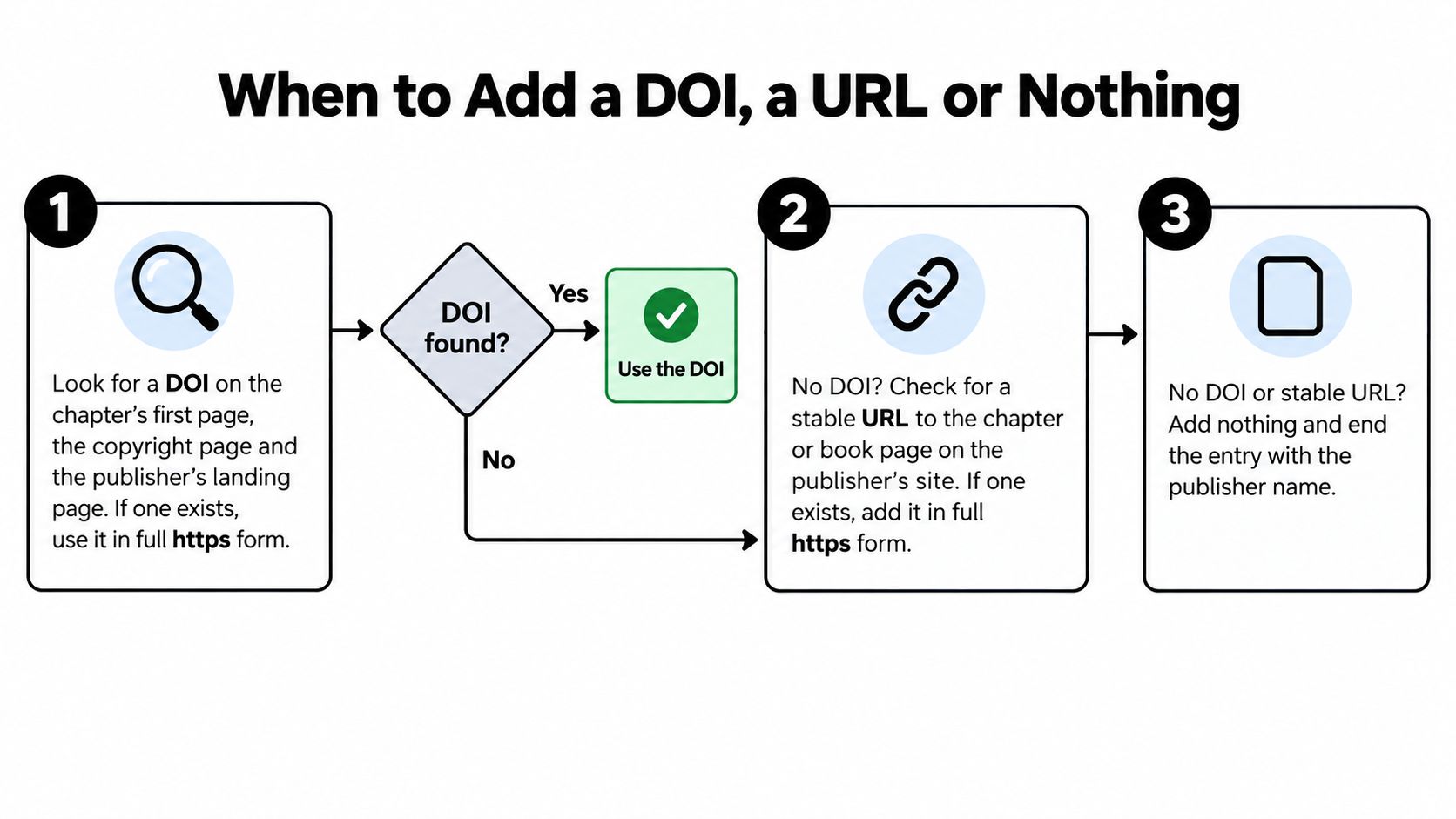
Make this decision in order. Don't start by copying the web address in your browser. A DOI is preferred when one exists. A stable URL is next. No identifier is sometimes the correct ending.
The flowchart sums up the sequence before each step is explained.
Step 1 Look for a DOI
Check the chapter's first page, the copyright page, and the publisher's landing page. Publishers may assign a DOI to the whole book, to each chapter, or to neither. If a chapter-level DOI exists, use it. Present it in full https form.
Example with a DOI: Adeyemi, T. R. (2021). Assessing reflective practice in nursing placements. In L. Moreau & K. Ibrahim (Eds.), Clinical education in practice (pp. 45–62). Routledge. https://doi.org/10.1000/abc456
Don't write doi: before the number. Don't shorten the link. Don't add a period after it. If a landing page shows both a DOI link and an ordinary URL, choose the DOI. It's designed to persist when a publisher reorganizes a website.
Step 2 Check for a Stable URL
If there's no DOI, ask whether the publisher or platform offers a stable URL leading directly to the chapter or the book. Open-access volumes often provide a permanent chapter page. Use that address in full https form.
Example with a stable URL: Sato, H. (2022). Community pharmacy outreach. In R. Patel, S. Ruiz, & T. Nakamura (Eds.), Public health in practice (Vol. 2, pp. 210–228). Open Textbook Press. https://example.org/public-health/ch11
Test stability by reopening the link in a fresh browser window. If it leads to the same chapter without your search terms or login session, it's a candidate. If the address contains a long session string, a temporary token, or your library's proxy path, don't paste it into the reference.
Step 3 Leave the Identifier Out When No Stable Link Exists
Some sources shouldn't have a URL. Don't add a link to a library catalogue search, a login page, a search results page, or a page that will change. Those links don't retrieve the chapter for another reader.
Example with no identifier: Mensah, K. (2018). Ethics in community research. In A. Lee & J. Brooks (Eds.), Research ethics handbook (pp. 77–94). Westfield Academic.
That entry correctly ends at the publisher name. Many print edited books have no DOI. Leaving the identifier blank isn't an error, and adding a bookseller page to fill the space creates one.
Step 4 Skip the Retrieval Date
Don't add a retrieval date for a standard chapter. APA reserves retrieval dates for content designed to change. A chapter in a fixed edition is stable, even when you read it online. A line such as Retrieved March 3, 2026, from belongs to older habits and changing web pages, not to this source type.
One caution applies to copied DOIs. Click the DOI before you submit. Database exports sometimes attach the book DOI to every chapter, and a single mistyped character can send the reader elsewhere. Verify that the landing page names your chapter or, at minimum, the correct edited volume.
Print, E-Book and Database Versions Compared
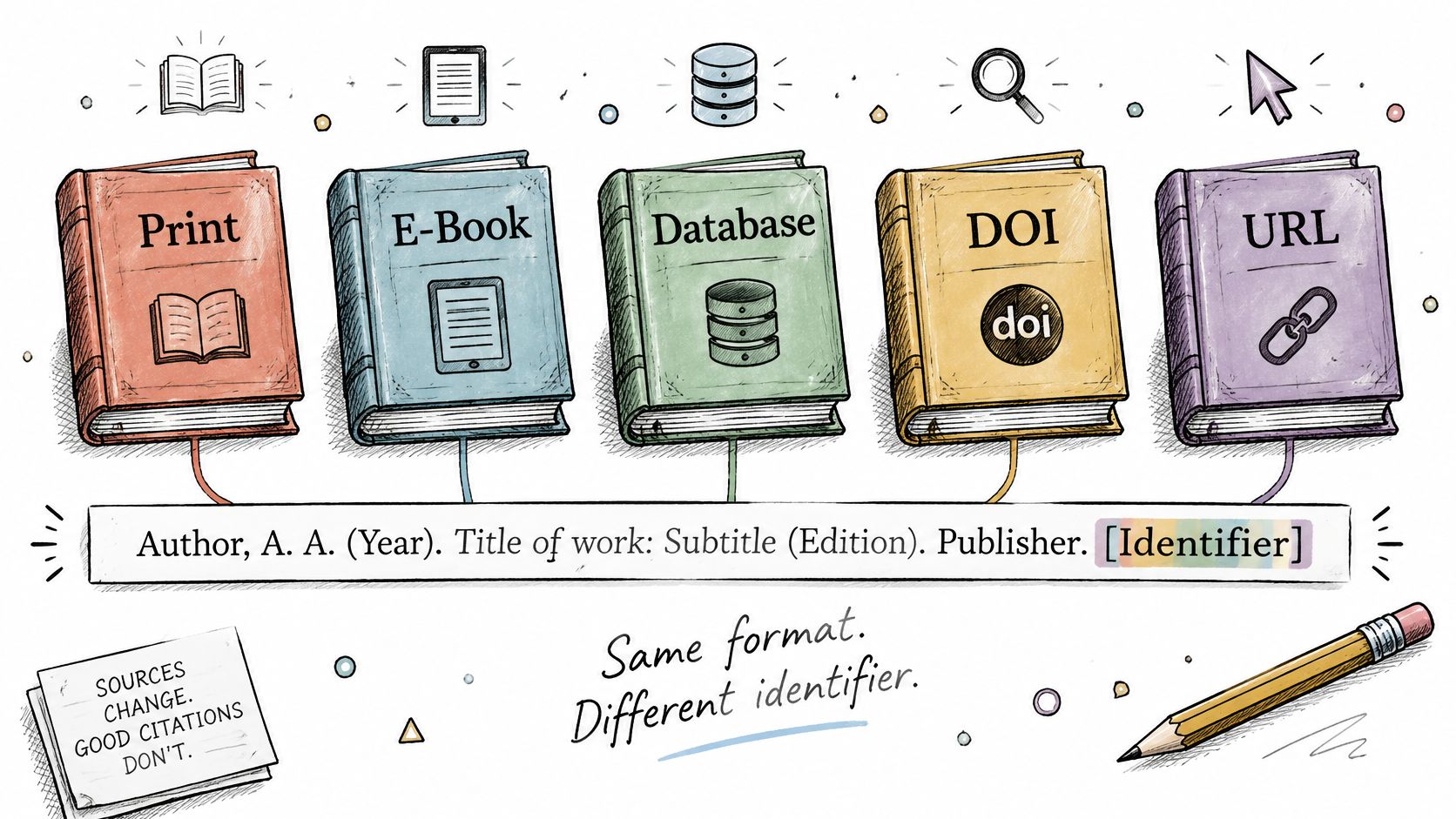
The format stays fixed across versions. APA applies the same APA chapter in an edited book structure to print and electronic chapters, so you're not learning five templates. You're learning one template and deciding which ending fits the copy you consulted.
This comparison shows how little changes from one version to another.
| Version | What changes | What stays the same |
|---|---|---|
| Print book | No identifier; no format label | Element order, punctuation, sentence case |
| E-book with a DOI | DOI added at the end; no format label | Same as print otherwise |
| E-book without a DOI | No identifier unless a stable URL exists; no platform name | Same as print otherwise |
| Copy read through an academic database | Database name omitted; DOI used if one exists | Same as print otherwise |
| Open-access edited book | Stable URL or DOI usually available; no license added | Same as print otherwise |
What Changes in Each Version
A print book has no identifier and no format label. End with the publisher unless the book itself provides a DOI you want to include. Don't write Print at the end. APA doesn't ask you to announce that a book is printed.
An e-book with a DOI adds the DOI after the publisher. Nothing else changes. Don't name the device, app, or retailer. A chapter doesn't become a different scholarly source because you opened it on a tablet rather than a laptop.
An e-book without a DOI takes a stable URL only if the publisher provides one. Never name the platform merely to show where you found it. If the only available link is an unstable reading-session address, end the entry at the publisher.
A copy read through an academic database omits the database name. Use a DOI if one exists. Students often add names such as EBSCOhost, ProQuest Ebook Central, or JSTOR because the site banner is visible while they read. Don't. The database is the delivery route, not the publisher of the edited book.
An open-access edited book usually offers a DOI or a stable chapter URL. Use one of those identifiers. Don't add the licence, such as a Creative Commons label, to the reference. Licence terms matter for reuse, but they aren't part of this citation.
If you want a spoken walkthrough of the version decision, watch the short explanation below and compare its examples against the table.
Labels Writers Add by Mistake
Remove format labels such as [Kindle edition], [E-book], and [PDF] from a standard chapter reference. Bracketed descriptions have specific uses in APA, but naming the reading format isn't one of them for an ordinary edited-book chapter. The same applies to app names and storefronts.
Cite the version you actually consulted. If you read the print chapter and later checked the e-book for indexing or page images, consider which version supplied the wording and pages you cite. If you used both, follow the preference of your journal, department, or institution. Consistency matters because editions can differ.
That's the final caution. An edition difference matters more than a format difference. A second edition may revise the chapter, move its pages, or replace it entirely. Check the title page of the version you used, and make sure the edition in the parenthetical matches it. Don't merge the page range from one edition with a DOI that resolves to another.
Complete Reference Entries for Each Source Type
Copy the closest entry, then adjust the names, titles, pages, publisher, and identifier. Don't copy these examples into a bibliography without replacing every detail. They're models for structure.
Four Complete Entries
1. Print book, one editor, no DOI
Okafor, J. A. (2024). Feedback loops in clinical teaching. In M. L. Chen (Ed.), Handbook of health education (2nd ed., pp. 112–130). Springer.
The edition tells the reader which version of the handbook contains these pages. The entry ends at Springer. because no DOI or stable URL is being used.
2. E-book with a DOI, two editors
Adeyemi, T. R. (2021). Assessing reflective practice in nursing placements. In L. Moreau & K. Ibrahim (Eds.), Clinical education in practice (pp. 45–62). Routledge. https://doi.org/10.1000/abc456
Two details differ from the first model. The label is plural, (Eds.), and the DOI follows the publisher with no closing period.
3. Open-access volume with a stable URL, three editors
Sato, H. (2022). Community pharmacy outreach. In R. Patel, S. Ruiz, & T. Nakamura (Eds.), Public health in practice (Vol. 2, pp. 210–228). Open Textbook Press. https://example.org/public-health/ch11
Read the editor list slowly. Commas separate the names, and the ampersand comes before Nakamura. The volume and pages share one parenthetical.
4. Chapter with no stable identifier, two editors
Mensah, K. (2018). Ethics in community research. In A. Lee & J. Brooks (Eds.), Research ethics handbook (pp. 77–94). Westfield Academic.
Nothing is missing. The entry ends at the publisher name because there's no DOI and no stable URL worth giving.
Read the Four Entries as One Pattern
All four entries follow the same element order. Chapter author, year, chapter title, editor statement, book title, parenthetical, publisher, identifier. The source situation changes the editor punctuation or the ending. It doesn't rearrange the middle.
When you're checking a generated bibliography, store the chapter author, editor, book title, and chapter pages as separate facts before you export. Reading about software for managing references can help you choose a tool, but the software can't rescue a record that puts the editor in the author field. Inspect the fields first. Then generate the entry.
A reliable test is to cover the identifier with your thumb. The remaining text should still identify the chapter inside its edited volume. If it doesn't, the problem is earlier in the entry, not at the link.
In-Text Citations for a Chapter Author
Cite the chapter author in the body of your paper. Don't cite the editor for ideas, findings, quotations, or arguments from the chapter. The editor may have shaped the volume, but the editor didn't write the passage you're using.
This rule keeps accountability clear. If Okafor argues that feedback should be timely, your citation names Okafor. Chen's editorship belongs in the reference list entry, where it identifies the book.
| Situation | Narrative form | Parenthetical form |
|---|---|---|
| One author | Okafor (2024) | (Okafor, 2024) |
| Two authors | Adeyemi and Brooks (2021) | (Adeyemi & Brooks, 2021) |
| Three or more authors | Sato et al. (2022) | (Sato et al., 2022) |
| Direct quote or specific page | Okafor (2024, p. 118) | (Okafor, 2024, p. 118) |
| Page range | Mensah (2018, pp. 80–82) | (Mensah, 2018, pp. 80–82) |
| Same author, same year, two chapters | Okafor (2024a) | (Okafor, 2024b) |
| Group author with abbreviation | World Health Organization (WHO, 2023) at first narrative use, then WHO (2023) | (World Health Organization [WHO], 2023) at first use, then (WHO, 2023) |
Author Count in the Text
For one author, give the surname and year. In a narrative citation, the name becomes part of your sentence: Okafor (2024) describes timely feedback as part of clinical supervision. In a parenthetical citation, both name and year sit inside parentheses: Timely feedback supports clinical supervision (Okafor, 2024).
For two authors, the joining word depends on placement. Use and in narrative prose: Adeyemi and Brooks (2021). Use & inside parentheses: (Adeyemi & Brooks, 2021). That switch also explains why the reference list uses an ampersand. A reference entry isn't narrative prose.
For three or more authors, use et al. from the first citation. Write Sato et al. (2022) or (Sato et al., 2022). Don't list every author the first time and shorten later. APA 7 shortened that older practice. Note the punctuation. There's a period after al., and in the parenthetical form there's also a comma before the year.
Quotations and Specific Pages
Add a page number for a direct quote. Use p. for one page and pp. for a span: (Okafor, 2024, p. 118) or (Mensah, 2018, pp. 80–82). The page is the page in the edited book where the quoted words appear. It isn't the PDF page count on your screen if the printed pagination differs.
For a paraphrase, a page number is optional but often helpful. Add it when a chapter is long, when the point is precise, or when your reader may struggle to find the passage. If you include it, use the same placement as a quotation.
Quote the chapter author's words, cite the chapter author, and give the book page. If the editor's surname appears in your in-text citation for chapter content, stop and correct it.
Same Author, Same Year and Group Authors
When one chapter author has two cited works from the same year, add a lowercase letter to the year: 2024a and 2024b. Assign the letters by the order of the reference list. For works with the same author and year, order the entries alphabetically by chapter title, then carry those suffixes into every in-text citation. Don't assign a to the chapter you happened to cite first unless that also matches the reference order.
A group can author a chapter. Spell out the group name at the first citation and give the abbreviation when you'll use it later. After that, the abbreviation alone is enough. The reference entry begins with the full group name, not the abbreviation, so a reader can find it alphabetically.
General principles for placing names and years in sentences also apply when you cite articles within a research paper, but the chapter rule has one extra safeguard. Always ask who wrote the pages in front of you. If you're unsure how editors belong in the full entry, return to the editor-count rules and rebuild from the chapter byline.
Common Citation Mistakes and How to Fix Them
Most errors in an APA chapter in an edited book reference aren't careless. They're imported. A catalogue uses retrieval order. A database adds its platform label. An old bibliography preserves a publisher city. Each copied field looks plausible until you compare it with the template.
| Mistake | Incorrect | Correct |
|---|---|---|
| Editor in the author position | Chen, M. L. (Ed.). (2024). Feedback loops in clinical teaching. | Okafor, J. A. (2024). Feedback loops in clinical teaching. In M. L. Chen (Ed.), |
| Chapter title italic or title case | Feedback Loops in Clinical Teaching | Feedback loops in clinical teaching. |
| Book title not italic | Handbook of health education | Handbook of health education |
| Publisher location included | Boston, MA: Springer. | Springer. |
| Page range after publisher | Springer. (pp. 112–130) | Handbook of health education (2nd ed., pp. 112–130). Springer. |
| Retrieved from before the link | Retrieved from https://doi.org/10.1000/xyz123 | https://doi.org/10.1000/xyz123 |
| doi: prefix | doi:10.1000/xyz123 | https://doi.org/10.1000/xyz123 |
| Format label added | Handbook of health education [Kindle edition]. | Handbook of health education. |
| Full stop after DOI or URL | https://doi.org/10.1000/xyz123. | https://doi.org/10.1000/xyz123 |
Why Copied Records Cause the Same Errors
A library catalogue is designed to help you find and borrow the whole book. It may lead with the editor, include the publication city, and capitalize the title as printed. Those features serve discovery, not APA referencing. If you paste that record into your bibliography, you import another system's logic.
A database export can create a different set of problems. It may attach a session URL, add Retrieved from, or label the file format. Citation generators also struggle when the source record doesn't separate chapter fields from book fields. The result often puts the book title where the chapter title belongs or drops the editor statement entirely.
Don't repair ten imported details one by one. Rebuild the entry from the standard format. Open the chapter title page, the book title page, and the table of contents. Fill the template slots in order. That process is faster than diagnosing why a copied line has the range after the publisher or the editor at the front.
Three Fixes That Catch Most Problems
First, read only the first surname. It must be the chapter author. If it's the editor, the alphabetical position and in-text citations will be wrong.
Second, find the italics. Only the book title is italic. If the chapter title is italic, in title case, or wrapped in quotation marks, reset it to plain sentence case.
Third, read the ending from the book title onward. You should see the parenthetical, then the publisher, then the DOI or stable URL if one applies. Remove any city, format label, Retrieved from phrase, doi: prefix, or full stop after the link.
The page-range rules explain why the range stays with the book title, and the standard-format template gives you a clean line to compare against. Keep that template open while you clean imported entries. One rebuilt model is more reliable than a list of isolated corrections.
Check Each Entry Before You Submit
Run every chapter entry through the same eight checks. Don't rely on a visual skim. Small punctuation errors survive skimming because your eye recognizes the titles and moves on.
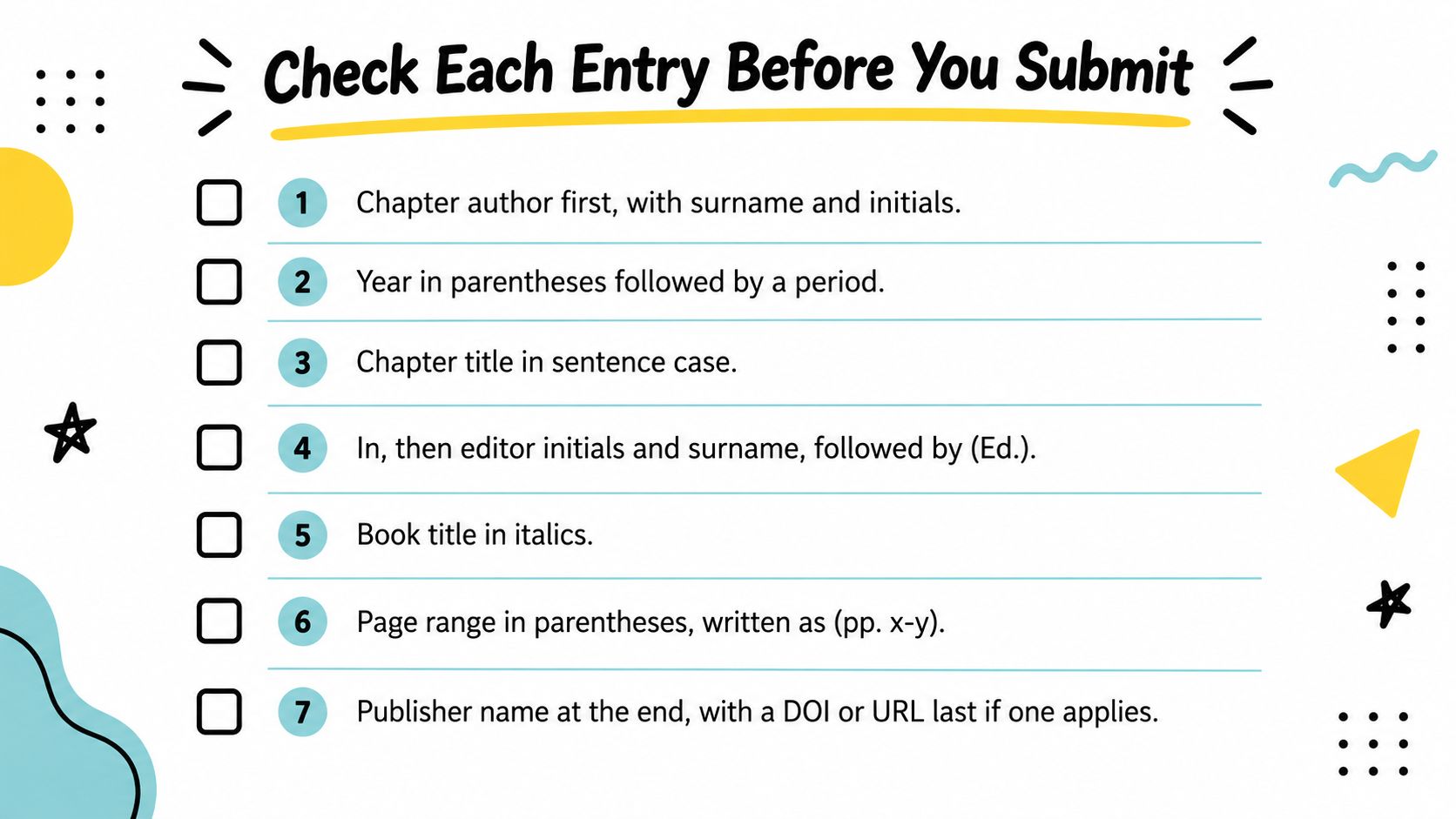
The Eight-Point Check
- Chapter author first: Surname and initials begin the entry, and the entry is alphabetized by that surname.
- Year in parentheses: The year is followed by a period, with a suffix such as 2024a only when needed.
- Chapter title in sentence case: The title is plain, not italic, and not in quotation marks.
- Editor statement after In: Editor initials come before surnames, and (Ed.) or (Eds.) matches the editor count.
- Book title and parenthetical: The book title is italic and in sentence case, and the edition, volume, and full chapter page range share the parentheses after it.
- Publisher name only: No city, state, country, or platform name appears in this slot.
- Identifier last: A DOI uses the full https form with no final period, a stable URL follows the same pattern, or the entry ends at the publisher when no stable identifier exists.
- In-text match: Every in-text citation names the chapter author, not the editor, and matches one entry in the reference list.
After the APA checks, compare the entry with your journal or institution style guide. Some programmes add local rules to APA 7, and those rules take priority for submission. If you're reviewing the list as a whole, guidance on how to build a complete reference list can help you check ordering and consistency across source types.
Store editor names, chapter pages, and identifiers as separate fields in a reference manager. Separate fields let you verify each element before the bibliography is generated. A single pasted citation hides the joins where errors occur.
Do one concrete task this week. Take the three most recent chapter entries in your draft and run each through all eight checks before you write more of the bibliography. Correct the source fields, not just the formatted text, so the next export stays clean.
Thesis Book Project helps students and researchers plan a thesis from proposal to submission with a guided roadmap, chapter tracker, milestone scheduling, and a source manager that keeps reading and references aligned with each draft. Use it to store chapter details as you collect them, check entries before deadlines close in, and keep your reference work connected to the chapters it supports. Visit Thesis Book Project to structure your project and approach your next bibliography with every source already organized.
Related Articles
How to Create Reference List Without Citation Errors
You're close to submission, but your reference list still looks like a collection of database ex...
Academic SkillsSample Article Title for Testing
Sample ArticleThis is a test article content in Markdown format.IntroductionThis webhook test ensure...
Academic SkillsHow to Avoid Plagiarism and Reference Correctly
Plagiarism is one of the few mistakes that can end a degree outright, yet most students who commit i...
Comments (0)
No comments yet. Be the first to share your thoughts.